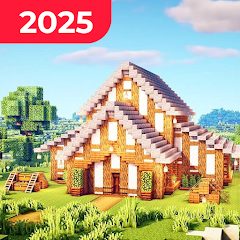
About Block Craft: Sandbox World

The Setup Reality — What Happens When You Open It
The game loads into a blocky world with a simple tutorial prompt. Creative mode gives you unlimited blocks from the start. Survival mode drops you with nothing. The difference between these two starts is the entire experience. In Creative, you can build a castle in ten minutes. In Survival, you spend those ten minutes punching trees and hiding from the first night. The game's performance starts showing cracks early. Moving the camera fast causes frame drops. Placing blocks in quick succession introduces a half-second delay. The UI shows your block count, health, and a build menu that takes up the bottom third of the screen. New players often tap the wrong icon because the buttons are small and unlabeled. The game saves your progress automatically, but the save icon sits in a corner with no confirmation pop-up. You learn to check the save manually before quitting.
The developer lists "hundreds of blocks" and "deep building system" as core promises. What that means in practice: you get wood, stone, dirt, sand, glass, wool, planks, bricks, and about fifty decorative blocks like flowers, fences, and torches. The building system works like every other voxel game — point and place, point and break. The twist is the mode switching. You can build a massive structure in Creative, save it, then reload the same world in Survival. Suddenly those decorative blocks become resources you can mine. The mobs that spawn at night now pathfind around your walls. The game's behavior changes based on which mode you loaded, not which mode you built in. This creates a workflow where Creative acts as a planning tool and Survival acts as the test environment. The problem: large Creative builds cause significant lag when Survival mode spawns mobs and day-night cycles on top of them.
Creative Mode Meets Survival Mode — The Clash
The original analysis here is the friction between these two modes. In Creative, you have unlimited blocks and flight. In Survival, you have health, hunger, and monster attacks. Switching between them is seamless — you just go to settings and toggle. But the game doesn't optimize for the transition. Build a city in Creative with thousands of blocks. Switch to Survival. The game now has to calculate light levels, mob spawning, and collision detection across that entire structure. The result: frame rates drop from 60 to 15. The game's "fixed performance" changelog entry suggests the developer knows this is an issue. But the fix hasn't eliminated the problem. Players on the Chrome-Stats reviews consistently mention low FPS even on high-end devices. One user wrote "lag and low FPS even on high-end devices" as their primary complaint. Another said "optimization is needed, especially for low-end devices." The game's small file size — around 189 to 209 MB depending on the version — actually works against it here. The small footprint means less pre-loaded optimization data. The game streams assets on the fly, which creates stutter when you move through a dense build area.
The mob behavior changes too. In Creative, mobs are passive or absent. In Survival, zombies, skeletons, and spiders spawn at night. If you built your Creative base with open courtyards and glass walls, the Survival mode spawns mobs inside your walls. The game doesn't check for enclosed spaces before spawning. This forces you to redesign your Creative builds with Survival in mind — adding walls, lighting, and moats. The UI gives you no warning about this. The build menu in Creative shows every block available. The build menu in Survival shows only blocks you have mined. The game expects you to remember the difference.
The Real-World Performance — Ads, Crashes, and Smooth Moments
The ads are aggressive. Users report ads playing every ten seconds in some cases. One reviewer said "close that ad and it gives me another. No longer fun." Another wrote "ad farmer, don't bother with it." The game shows video ads for rewards — gems, blocks, and power-ups. But the ads interrupt gameplay even when you're not seeking rewards. The ad frequency increases when you switch between modes or load a new world. This suggests the ad logic triggers on game state changes, not just on user actions. The game also crashes. Players report crashes during multiplayer sessions, during world loading, and during boss fights. The Steam community discussions for the related Sandbox World game mention "the game crashes when I join a server" and "Unity error 6000.0.60f1." The mobile version shares the same engine. The crashes are more frequent on devices with less than 4GB of RAM, according to user reports. One player noted "it does crash from time to time" even on a Samsung A22 with 4GB RAM. The performance on high-end devices is better but not flawless. Frame drops happen when multiple mobs are on screen or when the player is near water blocks. The water blocks have a visual feedback bug that causes lag, as noted in the game's support forum.
Some moments work well. The game runs smoothly in empty worlds with no structures. The block placement is responsive when you're building simple houses. The day-night cycle creates a genuine sense of urgency in Survival mode. The multiplayer function lets you build with friends, though the lag increases with more players. The game's "regular updates" promise is partially fulfilled — the version history shows updates every few weeks, with version 2.2.8 released in July 2026. The changelog entries are vague: "Fixed performance," "New optimizations," "Better performance." The developer does not publish detailed patch notes. This lack of transparency makes it hard to know what actually changed between versions.
Permissions and Technical Details
The app requests permissions that include location, personal information, and two other data categories. The privacy policy, hosted on strompy-craftworld.netlify.app, states that the game collects IP addresses, device information (application version, network type, OS), and usage data such as timestamps of actions. The policy also mentions billing information for in-app purchases, including payment card numbers. Data is encrypted during transmission. The policy states that data cannot be deleted by users. The game requires Android 8.1 or higher for older versions and Android 10 or higher for newer versions. The architecture is arm64-v8a only — no 32-bit support. A user review explicitly requested "pls bro add 32 bit I beg you," indicating the developer has dropped 32-bit device support. The APK size varies by version — 189 MB for 2.1.7, 205 MB for 2.0.8, and 209 MB for 2.2.8. The latest XAPK is 212 MB. The game uses the Unity engine, based on the error logs from the Steam community discussions. The developer is based in France, with a registered address in Rouvroy. The game was first published on January 4, 2025. The rating sits around 4.2 to 4.3 across platforms, but the recent rating average on Chrome-Stats dropped to 3.00 out of 5. The download count exceeds 500,000, with roughly 760 downloads per day as of August 2026.
Screenshots


Get File
App Specifications
| Latest Version | 2.3.3 |
| Uploaded by | Strompy |
| Requires Android | Android 8.1+ |
| Category | Simulation |
| Content Rating | Rated for 3+ |
Technical Details
| Package Name | com.StrompyGames.CraftWorld |
| Languages | English |
| Architecture | arm64-v8a |
| Signature | 5622ab1de9702668e7e5567276ab2650557b0a681208cd2097dd0d18967e6db9 |
Security & Additional Info
| Scan Result | Secure |
| Package Name | com.StrompyGames.CraftWorld |
| SHA‑256 | 5622ab1de9702668e7e5567276ab2650557b0a681208cd2097dd0d18967e6db9 |
| SHA‑1 | 9ddfbd41c537a61b5a450b5a2e4bf4d12f9df968 |
| App Permissions | 0 |