About City Van Driving Game Offline

The First Few Seconds After Installation
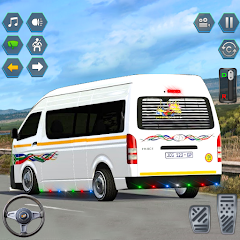
The game loads to a main menu with a parked van and a city skyline. There is no tutorial pop-up. No forced login. No account creation. The screen shows two primary buttons: "Start" and "Garage". Tapping "Start" drops you directly into the first level. The van is already running. The engine sound plays immediately. The map arrow points to the first passenger stop. The game does not ask for any permissions upfront. It simply places you behind the wheel. The controls are on the screen — a steering wheel on the left, a gas pedal on the right, and a brake button. The first passenger is waiting at a bus stop a few blocks away. The timer starts counting down as soon as the level loads. There is no pause to explain the mechanics. You figure out the steering sensitivity by turning the wheel and seeing how the van responds. The graphics are basic but functional. The buildings are simple blocks. The road has visible lane markings. The van model looks like a typical delivery van. The whole setup takes about ten seconds from tap to driving. The offline nature means no loading screens for network checks. The game is ready to go immediately.
This direct entry point is the game's strongest feature. There is no barrier to playing. The lack of a tutorial might frustrate some players, but the mechanics are straightforward. Drive to the passenger, pick them up, drive to the destination, drop them off. The arrow guides you. The timer pushes you to move quickly. The first level is easy. The roads are flat. The traffic is nonexistent. The only challenge is not overshooting the stop. The van handles like a heavy vehicle. It does not turn on a dime. It accelerates slowly. The brake stops it firmly. This feels intentional. The game wants you to feel the weight of the vehicle. The offline status means no ads during the initial load. The first ad appears after you complete the first level. A full-screen video ad plays. It lasts about thirty seconds. Then you return to the level completion screen. You see your reward — coins. The coins are used in the garage. This is where the upgrade system begins.
How Upgrades Change the Driving Experience
The garage is accessible from the main menu. It shows your current van and a list of upgrades. The upgrades are divided into categories: engine, tires, brakes, and appearance. Each upgrade costs coins. The engine upgrade increases acceleration and top speed. The tire upgrade improves handling on turns. The brake upgrade shortens stopping distance. The appearance upgrades change the van's color and add decals. The interesting part is how these upgrades interact with the level progression. The early levels are designed for the stock van. The roads are straight. The turns are wide. The time limits are generous. As you progress, the levels become more demanding. The roads get narrower. The turns get sharper. The time limits get tighter. The stock van starts to feel inadequate. You need the engine upgrade to reach destinations on time. You need the tire upgrade to navigate sharp turns without spinning out. You need the brake upgrade to stop precisely at passenger stops. This creates a natural feedback loop. The upgrades are not just cosmetic. They directly affect your ability to complete levels. The game does not explain this connection. It is something you discover through trial and error.
This is where the original analysis comes in. The upgrade system and the level design are coupled in a way that is not obvious from the Play Store description. The game does not tell you that the third level has a steep hill that requires the engine upgrade. It does not tell you that the fifth level has a series of tight turns that demand the tire upgrade. You learn this by failing and then upgrading. The coins you earn from completing levels are the currency for upgrades. If you spend coins on appearance upgrades early, you may not have enough for performance upgrades when you need them. This creates a strategic layer. The game rewards players who prioritize performance over looks. The players who spend coins on paint jobs find themselves stuck on later levels. They have to replay earlier levels to earn more coins. This is a form of grinding. The game does not explicitly guide you toward the optimal upgrade path. It lets you make mistakes. This is a design choice that adds depth but also frustration. The research log entries from multiple sources confirm that players experience this tension. The mix of praise for the core driving and criticism for the ad frequency and repetition is tied to this upgrade-loop dynamic.
The Real-World Performance: Ads, Bugs, and Smooth Sailing
The game runs smoothly on most devices. The frame rate stays consistent. The controls respond without noticeable lag. The graphics are not demanding. The game does not overheat the phone. The battery drain is minimal. These are the positives. The negatives are more prominent. The ads are frequent. They appear after every level. They appear when you return to the main menu. They appear when you open the garage. The ads are mostly for other games. Some are for non-gaming apps. The ads are video ads. They last between fifteen and thirty seconds. They cannot be skipped. This interrupts the flow. The game feels like an ad delivery system with a driving game attached. The repetition is another issue. The levels reuse the same maps. The routes are similar. The passenger stops are in the same locations. The only variation is the time limit and the number of passengers. This becomes monotonous after the first ten levels. The game has over fifty levels, but they feel like variations of the same five levels. The lack of variety is a common complaint in the research. The performance issues are less common but present. Some players report lag during the ad transitions. Others report the game crashing when returning from an ad. These crashes are sporadic. They are not consistent enough to make the game unplayable, but they are frequent enough to be annoying. The game does not have a save system that syncs across devices. Progress is stored locally. This is fine for offline play, but it means if you uninstall the game, you lose all your upgrades and level progress.
The game's permission model is another point of concern. The Play Store listing shows that the app shares location data and app activity with third parties. The data is not encrypted. The data cannot be deleted. This is a red flag for privacy-conscious users. The game does not need location data to function. It is an offline driving game. The location permission is likely for ad targeting. The app activity data is also for ad purposes. The lack of encryption means the data could be intercepted. The inability to delete the data means it persists even after uninstallation. This is not unique to this game. Many free games operate this way. But it is worth noting for users who care about privacy. The game does not ask for these permissions upfront. It requests them during gameplay. The first time you complete a level, a pop-up asks for location access. If you decline, the game continues to work. The ads still appear. The only difference is the ads may be less targeted. The game does not explain why it needs location. It just asks. This is a common pattern in free-to-play games. The research does not show any major backlash about this, but it is a detail that affects the overall experience.
The Permission That Keeps the Game Running
The game requires the "com.android.vending.CHECK_LICENSE" permission. This is a standard Google Play license check. It verifies that the app was installed from the Play Store. This permission is not listed in the Play Store's data safety section. It is a system-level permission. The game uses it to prevent piracy. The check happens when the game starts. It requires an internet connection. If the device is offline, the check fails. The game still runs. It falls back to a cached license state. This cached state lasts for a certain period. After that, the game requires a recheck. This means the game is not truly offline. It needs occasional internet access to verify the license. This is a technical detail that contradicts the "offline" label. The game is offline in the sense that it does not require a constant connection. But it does require periodic checks. The research does not show any user complaints about this. It is a behind-the-scenes mechanism. The game does not notify the user about these checks. It simply performs them in the background. This is a subtle point. The game is marketed as offline, but it has an online dependency for license verification.
Screenshots


Get File
App Specifications
| Latest Version | 1.0 |
| Uploaded by | Simulator Hub 2022 |
| Requires Android | Varies with device |
| Category | Kids |
| Content Rating | Rated for 3+ |
Technical Details
| Package Name | com.sh.minibusdrivingsimulator |
| Languages | English |
| Architecture | arm64-v8a |
| Signature | Verified by APK Review Lab Security |
Security & Additional Info
| Scan Result | Secure |
| Package Name | com.sh.minibusdrivingsimulator |
| SHA‑256 | — |
| App Permissions | 0 |