About Drum Machine - Pad & Sequencer

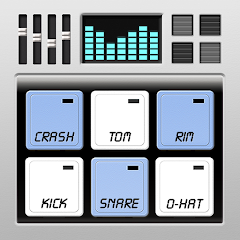
The integrated recorder and sequencer form the core workflow of this app. Open the app and the main screen shows eight pads, each pre-loaded with a classic drum sound. Below the pads, a transport bar offers record, play, stop, and loop buttons. Tapping a pad triggers the sound immediately. The real action, however, starts when you hit the record button. The app begins capturing every pad hit in real time. Once you stop recording, the sequencer automatically converts your performance into a looping pattern. This pattern then plays back repeatedly, allowing you to layer additional sounds on top. This is where the magic happens. The sequencer's new custom pattern sizes, introduced in version 2.6, let you set the number of steps beyond the traditional 16. You can now create patterns in 7/8, 5/4, or any odd time signature you desire. This is a significant upgrade for musicians who work outside of standard 4/4 time. The sequencer display shows each step as a small grid. Filled squares indicate where a pad will trigger. You can edit these steps manually, adding or removing hits with a tap. The app also allows you to adjust the velocity of each hit, giving your patterns a more human feel. The recorder, meanwhile, captures your performance as a MIDI sequence. This means you can edit the recorded notes after the fact, quantize them, or change the sounds assigned to each pad. The integration between recording and sequencing is tight. You can record a live performance, then switch to step editing to fine-tune every single hit. This workflow is particularly useful for creating complex drum patterns that would be difficult to play live. The app does not, however, allow you to export the recorded audio as an MP3 or WAV file. This is a major limitation that many users have pointed out. The recorded performance stays within the app's proprietary format. You can save and load projects, but you cannot share your creations as audio files. This forces users to rely on external recording tools if they want to use the app's output in a DAW or share it online. The app's MIDI support partially addresses this. You can send MIDI out to other apps or devices, but this requires additional setup and may not be feasible for all users.
How this drum machine stacks up against G-Stomper
Comparing this app to a dedicated competitor like G-Stomper reveals stark differences in philosophy. G-Stomper is a full-featured groovebox that includes synthesis, sampling, and effects. It also supports audio export and has a more advanced sequencer. The Drum Machine app, by contrast, focuses on simplicity and immediacy. It does not have synthesis engines or complex routing. It is purely a drum pad instrument with a sequencer. The sound quality in both apps is comparable, with each offering high-quality samples. However, the Drum Machine app's sample library is more limited, focusing on vintage drum machines like the 808 and 909. G-Stomper offers a wider range of sounds, including synth drums and electronic percussion. The sequencer in G-Stomper is more powerful, with features like pattern chaining and song mode. The Drum Machine app's sequencer, while now supporting custom pattern sizes, still lacks these advanced features. The MIDI implementation in both apps is solid, but G-Stomper offers more MIDI mapping options. The Drum Machine app's main advantage is its ease of use. It is designed for quick beat creation, not for deep sound design. Users who want to sketch out a drum pattern quickly will find this app more accessible than G-Stomper. The learning curve is minimal, and the interface is clean. G-Stomper, on the other hand, requires more time to master. The Drum Machine app also has a significant user base, with over 5 million installs, indicating that its simplicity resonates with many users. However, the lack of audio export is a dealbreaker for some. G-Stomper allows you to export your beats as WAV files, which is essential for producers who want to use their creations in other software. The Drum Machine app's developer, Trajkovski Labs, has not addressed this complaint in recent updates. Instead, they have focused on adding effects and sequencer features. This suggests that audio export is not a priority for the developer. The app's pricing is another differentiator. Both apps are free, but G-Stomper offers in-app purchases for additional content. The Drum Machine app is completely free with no ads, which is a rare find. This makes it an attractive option for budget-conscious musicians. The trade-off is the limited feature set. For users who only need a simple drum machine, this app is sufficient. For those who need more advanced features, G-Stomper is the better choice.
What changed in version 2.6 and earlier updates
The version history of this app reveals a pattern of incremental improvements. Version 2.6, released in May 2026, introduced the most significant change: a bigger sequencer with custom pattern sizes. This allows users to set pattern lengths beyond 16 steps, enabling odd time signatures. The update also added an octave effect and chromatic tuning in the pad editor. These features enhance the app's musicality. The octave effect lets you pitch sounds up or down by an octave, while chromatic tuning allows you to fine-tune each pad to a specific note. Prior to version 2.6, the sequencer was fixed at 16 steps. This limitation was a common complaint among users who wanted to create more complex rhythms. The update directly addresses this feedback. Version 2.1, released in October 2025, added ipMIDI support, a pad bending option, and a flam option in the sequencer. ipMIDI allows the app to send MIDI over a network, which is useful for integrating with other devices. Pad bending lets you bend the pitch of a pad's sound by sliding your finger. The flam option adds a slight delay between two hits, creating a flam effect. Version 2.3 and 2.2 focused on stability and bug fixes. The changelog for these versions mentions "bug-fixes and stability improvements" without going into detail. This is a common pattern for this developer. The updates are frequent, but the release notes are often vague. Users have reported that some updates introduced new bugs while fixing others. For example, the DSP audio glitches were fixed in an earlier version, but new issues with latency have emerged. The developer's approach seems to be reactive, addressing issues as they are reported. There is no clear roadmap or public issue tracker. The app's support page is minimal, with only an email address for contact. This lack of transparency can be frustrating for users who encounter problems. Despite this, the app has a large and loyal user base. The frequent updates indicate that the developer is actively maintaining the app. The addition of custom pattern sizes in version 2.6 is a clear response to user requests, showing that the developer listens to feedback. However, the persistent issue of audio export remains unaddressed. This suggests that the developer has chosen to prioritize other features. The app's changelog also mentions "other bug-fixes and improvements" in nearly every version, which is a generic phrase that does not provide specific details. This makes it difficult for users to know what has actually been fixed.
A niche use-case: using the app as a live performance metronome
While the app is designed for beat creation, some users have found an unconventional use for it: as a live performance metronome. The app's sequencer can play a steady 4/4 pulse using a click sound. The custom pattern sizes allow you to set the number of beats per bar, making it adaptable to different time signatures. The MIDI over WiFi feature lets you sync the app with other devices, such as a laptop running a DAW. This turns the app into a wireless click track for a band. The recorder can capture the performance, allowing you to review the timing after the set. The app's low latency is crucial for this use-case. If the latency is too high, the click track will be out of sync with the live performance. Some users have reported that the latency is acceptable on newer devices, while others have experienced issues. The app's ability to load custom samples means you can use any sound as a click. You could load a cowbell, a shaker, or even a vocal sample. The pad bending feature can be used to adjust the pitch of the click, making it more audible in a mix. The app's small size and lack of ads make it reliable for live use. There are no interruptions or pop-ups during a performance. The app does not require an internet connection, so it works in any venue. However, the lack of audio export means you cannot record the click track directly. You would need to use an external recorder to capture the output. The app's stability is another concern. Some users have reported crashes during heavy use, which would be disastrous during a live show. The developer has not addressed these stability issues in recent updates. Despite these drawbacks, the app's simplicity and core features make it a viable option for musicians who need a basic click track. The custom pattern sizes are a game-changer for bands playing in odd time signatures. The ability to save and load patterns means you can have different click tracks for different songs. The app's MIDI output can also be used to trigger other devices, such as a lighting controller. This expands its utility beyond just a metronome. The app is essentially a versatile tool that can be adapted to many different scenarios. Its limitations are clear, but for users who work within those limitations, it can be a valuable asset.
Screenshots


Get File
App Specifications
| Latest Version | 2.6 |
| Uploaded by | Trajkovski Labs |
| Requires Android | Varies with device |
| Category | Music & Audio |
| Content Rating | Rated for 3+ |
Technical Details
| Package Name | com.bti.dMachine |
| Languages | English |
| Architecture | arm64-v8a |
| Signature | d0f56db6d915d792df81c2bb4fbd75a92f4b0fb3bfce095803f9b7fda5e369b4 |
Security & Additional Info
| Scan Result | Secure |
| Package Name | com.bti.dMachine |
| SHA‑256 | d0f56db6d915d792df81c2bb4fbd75a92f4b0fb3bfce095803f9b7fda5e369b4 |
| SHA‑1 | 9fb87166e88e00d0a43b7614ac0bbe00a1c1267c |
| App Permissions | 0 |