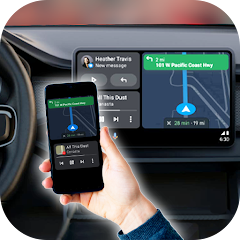
About mirror link

Opening the app — the first screen
You install the app, tap the icon, and the first thing you see is a simple interface with a big "Connect Car" button. You tap it, and the app asks you to enable Miracast on your car's display. You look for the setting, but your car does not have it. You tap the button again, and an ad fills the screen. You close the ad and try again. Another ad. This is the pattern. The app is called Mirror Link. It claims to let you mirror your phone to your car screen wirelessly. But in reality, it is a compatibility checker with a heavy ad load. The app cannot create a wireless connection that your car's hardware does not support.
The app is developed by Flavapp, a publisher with multiple similar apps on the Play Store. The app is free, but it is loaded with ads and pushes a paid subscription. The app has over a million downloads, but the reviews are overwhelmingly negative. Users report that it does not work, that it is a scam, and that it is unusable due to the ads.
The app's description promises a "wireless Driving Mode that seamlessly integrates with CarPlay and Android Auto Shareplay". But the app does not actually integrate with CarPlay or Android Auto. It simply tries to use the Miracast protocol, which is a separate standard. If your car does not support Miracast, the app cannot do anything. This is a fundamental limitation that the app does not communicate clearly.
How the screen mirroring works
Screen mirroring to a car display requires two things: a phone that supports screen casting and a car display that supports Miracast or a similar protocol. The app does not add any new capability to your phone. It only attempts to initiate the connection. If your phone and car both support the protocol, the app can help you start the mirroring process. But if either side lacks the hardware support, the app cannot help.
The app's interface is minimal. It has a single screen with a "Connect Car" button. There are no settings, no configuration options, no troubleshooting guides. The app is a one-trick pony. It tries to start the Miracast connection, and if it fails, it shows you an ad. The app does not provide any feedback on why the connection failed. It does not tell you to check your car's settings. It does not offer any alternatives. It simply fails and shows an ad.
The app's business model is based on ads and subscriptions. Users report that they are forced to watch multiple ads just to try the connection. Some users report that they are asked to rate the app 5 stars before they can use it. Others report that they are charged for a subscription without a clear free trial. This is a pattern of aggressive monetization that prioritizes revenue over user experience.
The original analysis — the hardware dependency and the ad model
The app's fundamental flaw is that it is a software solution for a hardware problem. Screen mirroring to a car display requires specific hardware support on both the phone and the car. The app cannot add this support. It can only attempt to use what is already there. This is why the app works for some users and fails for others. It is not a matter of the app being broken; it is a matter of the user's car not having the necessary hardware.
The app's developer, Flavapp, has released multiple similar apps under different names. This is a common tactic among low-quality app publishers. They release many apps with similar functionality, hoping to capture a wide audience. The apps are often clones of each other, with minor variations in the interface. This strategy allows the developer to maximize ad revenue and subscription income across a large user base.
The app's negative reviews are a clear signal. Users are frustrated because the app does not work as advertised. The app promises a seamless wireless connection, but it delivers a frustrating ad-filled experience. The app's 5-star reviews are likely fake. This is a common problem on the Play Store. Apps with poor functionality often have a mix of fake positive reviews and genuine negative reviews. The overall rating is often artificially inflated, misleading potential users.
Real-world performance and the limitations
The app performs poorly in real-world scenarios. It is slow to load, the ads are intrusive and frequent, and the connection often fails. Users report that the app does not work even when their car supports Miracast. The app's reliability is low. It crashes or freezes on many devices. The app's performance is not consistent across different phones and cars. This is because the app relies on external hardware and protocols that are not standardized across all devices.
The app's main limitation is its dependency on Miracast. Miracast is not a universal standard. Many cars do not support it. Many phones do not support it. Even when both support it, the connection can be unreliable. The app does not provide any fallback options. It does not support USB connections, even though the description mentions it. The app's functionality is limited to a single, unreliable protocol.
The app's privacy practices are also a concern. The app requests permission for ACCESS_ADSERVICES_AD_ID, which is used for ad targeting. The app also requests location and other permissions. The app's data safety section on the Play Store states that it shares location, app activity, and two other types of data with third parties. This is a significant privacy risk. Users who install this app are exposing their personal data to third-party advertisers. The app is not worth the risk. It is a poorly designed, ad-ridden, and privacy-invasive application that does not deliver on its promises.
Screenshots


Get File
App Specifications
| Latest Version | 7.0 |
| Uploaded by | DTFHM |
| Requires Android | Android 8.0+ |
| Category | Libraries & Demo |
| Content Rating | Rated for 3+ |
Technical Details
| Package Name | com.mirror.carlink |
| Languages | English |
| Architecture | arm64-v8a |
| Signature | 6c2012c986fa3b8470463130dbfb646082e032a1a113999643f548fdf96d2000 |
Security & Additional Info
| Scan Result | Secure |
| Package Name | com.mirror.carlink |
| SHA‑256 | 6c2012c986fa3b8470463130dbfb646082e032a1a113999643f548fdf96d2000 |
| SHA‑1 | d50e25ce6cc7eca8f1b633a07cb24020ef9939ff |
| App Permissions | 0 |