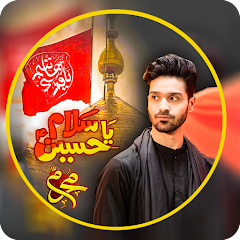
About Muharram Photo Frames

The Frame Selection Process and What It Actually Takes
Opening the app presents a grid of frame thumbnails. Karbala frames show shrine imagery. Ya Hussain frames display name calligraphy. Ashura frames carry red and black tones. The user taps one. The photo picker opens. Gallery or camera. Select a photo. The frame overlays immediately. Pinch to resize. Drag to reposition. The photo sits inside the frame border. Save button appears at the bottom. That is the core loop. It takes about fifteen seconds from open to save. The app does not ask for any special permissions beyond storage and camera. No location. No contacts. No microphone.
The frame library is the entire reason for this app. Muharram Karbala frames dominate the collection. Islamic profile picture templates sit alongside them. The app lists twenty to thirty frame designs per category. New frame designs appear with each version update. The June 2026 update added new frame designs. The developer HaroonApps PK has been publishing event-themed photo apps since at least 2021. Eid al Adha Frame With Name DP and Eid Mubarak Photo Frames 2024 are their other top-ranked apps in Pakistan. This app holds the number one position in the Events category in that country. The frame designs are specific to Muharram rituals and Ashura commemorations. They are not generic Islamic frames. They carry Karbala references, Hussain name plates, and Ashura date markings. Users who need these specific visuals have few alternatives that match the cultural and religious context.
When the Save Button Meets the Share Button — A Workflow That Interrupts Itself
The HD save feature writes the framed image to the device gallery. The share button then opens the Android share sheet. WhatsApp, Facebook, Instagram, and other platforms appear as options. This sequence works smoothly in isolation. But the app inserts a full-screen ad between the save action and the share action. The ad loads after the save completes. The user must wait three to five seconds. The ad dismisses. Then the share sheet appears. This ad placement is not documented on the Play Store page. The Play Store description mentions sharing but does not mention the ad delay. Users have reported that ads make the app difficult to use. The ad frequency is higher than what users expect from a photo editing tool of this size. The app is free. Ads are the trade-off. But the placement between save and share interrupts the natural flow. The user saves the photo. They want to share it immediately. The ad forces a pause. Some users reported the app crashes during this ad load. The crash is not consistent across devices. Android 6.0 and above are supported. The app runs on both older and newer devices. The crash reports appear in user reviews but not in the official changelog.
The combination of frame selection and HD save creates a dependency. The user cannot save without selecting a frame first. The app does not allow saving the original photo with just a filter. Every save must go through the frame overlay process. This is by design. The app is a frame editor, not a general photo editor. The frame library is the product. The save and share features are the delivery mechanism. The ads are the revenue mechanism. The interaction between these three confirmed features — frame selection, HD save, and ad placement — produces a user experience that is not described on the Play Store page. The Play Store page describes the features as independent capabilities. It does not describe the ad frequency or the interruption between save and share. Users migrating from a competitor like Islamic Photo Frame or Eid Mubarak Photo Frames might expect a similar ad load. But the placement of the ad between save and share is specific to this app's workflow. Competitors often place ads at app launch or between frame selections. This app places them at the point of export. That changes the user's perception of the app's speed and reliability.
What the Changelog Says and What It Does Not Say
The official changelog for version 13.0 states three items: added new frame designs, better performance and stability, and minor bug fixes and improvements. The June 2026 update also included these same three items for version 11.0. The changelog has not changed substantially across multiple versions. The developer has not published specific details about which bugs were fixed or which performance areas improved. The app size increased from 5.5 MB in version 11.0 to 5.8 MB in version 13.0. The additional 0.3 MB likely accounts for the new frame designs. The Android version requirement shifted from Android 5.0+ to Android 6.0+ between these versions. Version 11.0 supported Android 5.0. Version 13.0 requires Android 6.0. This is a material change. Users on Android 5.0 devices cannot install the latest version. They must stay on version 11.0 or earlier. The Play Store listing does not highlight this requirement change. The app description still mentions Android 5.0 on some third-party sites, but the official APK from APKPure shows Android 6.0 as the minimum for version 13.0. The app has been available since August 2021. It has accumulated over 100,000 installs. The rating is 4.33 based on 330 ratings. 275 of those are five-star. 55 are one-star. The one-star reviews often mention crashes and excessive ads. The five-star reviews mention beautiful frames and good quality. The developer has not responded publicly to the crash complaints in the changelog.
The Permission Set and What It Actually Accesses
The app requests storage permission to read and write photos. It requests camera permission to take new photos. These are the only two permissions required. The Play Store data safety section states that the app may share location information and device ID with third parties. This is not a permission requested at install time. It is a data sharing practice. The app does not ask for location permission directly. The data sharing happens through advertising SDKs. The app contains ads. The ads use device ID for targeting. The location data is likely derived from IP address or network information, not from GPS. The app does not request contacts, microphone, or phone state permissions. The data is encrypted in transit. Users can request data deletion. The app does not collect any other personal data according to the Play Store declaration. The storage permission is the most critical one. Without it, the app cannot save framed photos. Without camera permission, the user cannot take new photos directly. Both permissions are standard for photo editing apps. The app does not access the user's photo library beyond the selected image. It does not scan or upload the entire gallery. The frame overlay process happens entirely on the device. No network request is made during the frame application. The network requests occur only when ads load. The ad loading requires an internet connection. The app does not function offline beyond the frame selection and photo adjustment steps. The save action works offline. The share action requires the Android share sheet, which works offline. The ads require internet. This creates a situation where the app works partially offline but the full workflow from save to share is disrupted without an internet connection because the ad cannot load and may cause a delay or crash.
Screenshots


Get File
App Specifications
| Latest Version | 13.0 |
| Uploaded by | HaroonApps PK |
| Requires Android | Android 6.0+ |
| Category | Events |
| Content Rating | Rated for 3+ |
Technical Details
| Package Name | com.PhotoFrames_MuharramPhotoEditor |
| Languages | English |
| Architecture | arm64-v8a |
| Signature | 5b50d001d89a3af67fc2aaaa3f8d02f3df62a71c13909dd3daf40fcdb5a5630d |
Security & Additional Info
| Scan Result | Secure |
| Package Name | com.PhotoFrames_MuharramPhotoEditor |
| SHA‑256 | 5b50d001d89a3af67fc2aaaa3f8d02f3df62a71c13909dd3daf40fcdb5a5630d |
| SHA‑1 | 4bce880299f0a36d60bed4bd91d442d3ecf6655e |
| App Permissions | 0 |