About Pencil Sketch Photo Editor

The Editing Screen: What You See the Moment You Open It
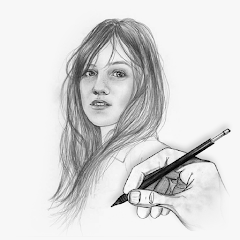
The app opens to a camera roll. No tutorial. No welcome screen. Just your photos. You pick one. The sketch preview appears instantly. A grid of filter thumbnails sits below the image. You tap one. The photo transforms into a pencil drawing. Tap another. It changes to a soft sketch. Tap a third. It becomes a cartoon-like outline. The preview updates in real time. No loading bar. No waiting. That is the first thing you notice. The app is fast. The filter thumbnails show a preview of what each effect will look like, but the thumbnails are small. You cannot tell the difference between "pencil sketch" and "soft sketch" without applying them. That is a small friction point. You tap through several filters to find the one you want. The app does not remember your last used filter. Every session starts from the default. That is a minor annoyance. The intensity slider is below the filter grid. You drag it left or right. The sketch becomes darker or lighter. The slider works smoothly. No lag. The crop tool is at the bottom. You tap it. A crop box appears. You adjust the corners. The app crops the image. Then you go back to the filter selection. The crop is applied permanently. You cannot undo it without starting over. That is a limitation. The app assumes you want to crop before you sketch. If you crop after applying a filter, the filter resets. You have to reapply it. That is a workflow quirk. The app is designed for speed, not flexibility. It wants you to pick a photo, pick a filter, adjust the intensity, and save. That is the core loop. Everything else is extra.
The save button is at the top right. You tap it. The app saves the sketch to your device. No confirmation dialog. No option to choose a folder. It saves directly to your gallery. The file name is a timestamp. You have to rename it later if you want to organize your sketches. The share button is next to the save button. You tap it. The app opens your share sheet. You can send the sketch to WhatsApp, Instagram, or any other app. The share flow works. No issues. The app does not have a built-in social feed. It does not show you what other users are creating. It is a solitary tool. You open it. You edit. You save. You close it. That is the entire experience.
How the Filters and the Intensity Control Work Together
The filter selection and the intensity slider are not independent features. They interact in a way that is not obvious at first. Each filter has a default intensity level. When you select a filter, the slider moves to that default. You can then adjust it. But the adjustment is global. It applies to the entire image. You cannot adjust the intensity of the pencil lines separately from the shading. That is a limitation. The app treats the sketch as a single layer. You cannot fine-tune individual elements. For a portrait, that means you cannot make the eyes darker while keeping the skin light. You adjust the whole image. That is fine for a quick sketch. It is not fine for a professional result. The app is not designed for professionals. It is designed for people who want a fast, decent-looking sketch. The interaction between the filter and the intensity slider is where the app shows its strength and its weakness. The strength is speed. You can find a good combination in under 30 seconds. The weakness is control. You cannot get a perfect result without trial and error. You apply a filter. You adjust the intensity. You do not like the result. You apply a different filter. The intensity resets to the default. You adjust it again. That is the workflow. It is repetitive. But it works. You eventually find a combination that looks good. The app does not save your custom combinations. You have to remember them. That is a missed opportunity.
The app also has a "premium" section. It is behind a paywall. The premium filters are locked. You can see them, but you cannot use them. The app shows you a preview of what the premium filter would look like, but it adds a watermark over the image. The watermark says "PREMIUM". That is a clear signal. You have to pay to remove it. The premium tools include additional sketch styles, PDF export, and an ad-free experience. The app does not hide the paywall. It is upfront about it. That is honest. But the ads are persistent. Even if you watch an ad to unlock a filter for a single use, the ad plays again the next time you open the app. That is a common complaint.
Performance and the Issues That Keep Coming Up
The app runs on Android 6.0 and above. It is not a resource-heavy application. The file size is around 21 MB. It installs quickly. It does not require special permissions beyond storage access. The app asks for storage permission on first launch. If you deny it, the app cannot load your photos or save your sketches. It does not explain why it needs the permission. It simply asks. That is a missed opportunity for trust-building. The app does not request any other permissions. No location. No contacts. No camera. That is a clean permission set. The app's performance is generally good. The filters apply quickly. The slider works smoothly. But there are reports of slow performance with high-resolution images. A 4K image takes longer to process. The app may stutter or freeze briefly. That is not a dealbreaker, but it is noticeable. The app also has a history of crashes. Some users report that the app stops working after editing a few photos. Others say it fails to save the image. These are not universal issues, but they are common enough to be mentioned in multiple reviews. The app's stability has improved with recent updates. The changelog mentions "better stability and performance". But the complaints persist. The app is not perfect. It works most of the time. When it does not, you have to restart it.
The ads are the biggest complaint. The app shows a full-screen ad after you save or share an image. The ad plays automatically. You cannot skip it. You have to wait for the countdown. The ad is loud. It is intrusive. It breaks the flow of the app. Some users report that the ads continue even after they have purchased the lifetime unlock. That is a serious issue. If you pay to remove ads, the ads should disappear. The fact that they do not is a breach of trust. The app also shows banner ads at the bottom of the screen. They are less intrusive, but they are still there. The app's monetization strategy is aggressive. It relies on ads and in-app purchases. The free version is usable, but the ads make it unpleasant. The premium version removes the ads and adds more filters. It costs a one-time fee. The fee is not listed on the Play Store. You have to open the app to see the price. That is a small barrier.
The Watermark and the Storage Permission You Have to Grant
The app adds a watermark to your sketches if you are using the free version. The watermark is small. It appears at the bottom right corner of the image. It says "Pencil Sketch". It is not overly intrusive, but it is there. You cannot remove it without paying. The watermark is the app's way of encouraging you to upgrade. It is a common tactic in free photo editing apps. The watermark does not affect the quality of the sketch. It is just a branding mark. The app does not add a watermark to premium sketches. If you pay, the watermark disappears. The app also saves your sketches in high quality. You can choose the resolution. The default is the original resolution of the photo. You can export in HD, Full HD, or 4K. The export quality is good. The sketches are sharp. The lines are clear. The shading is smooth. The app does a good job of converting photos to sketches. The results are impressive for a free app. The app's core function works well. The issues are with the ads, the watermark, and the occasional crash. The app is not a professional tool. It is a fun app for creating quick sketches. The storage permission is the only gatekeeper. You have to grant it to use the app. The app does not offer a workaround. That is the final technical detail. You grant permission. You edit. You save. You share. The app does not do anything else.
Screenshots


Get File
App Specifications
| Latest Version | 6.5 |
| Uploaded by | Sweet Sugar |
| Requires Android | Varies with device |
| Category | Art & Design |
| Content Rating | Rated for 3+ |
Technical Details
| Package Name | com.sweetsugar.pencileffectfree |
| Languages | English |
| Architecture | arm64-v8a |
| Signature | c1789b847efb71259b18bcf66f3ba99050b37c1089a6c7184706279811830ac3 |
Security & Additional Info
| Scan Result | Secure |
| Package Name | com.sweetsugar.pencileffectfree |
| SHA‑256 | c1789b847efb71259b18bcf66f3ba99050b37c1089a6c7184706279811830ac3 |
| SHA‑1 | 2df28bf4c3c94b94c378ea0d1d08a7a3a57014f0 |
| App Permissions | 0 |