About Racing Car Games for Kids

The first thing that happens when you open it
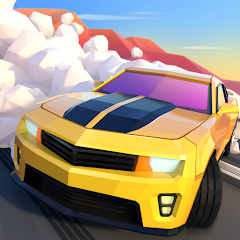
Launch Racing Car Games for Kids and you are met with a bright, colorful menu. There is no login screen. No account creation. No tutorial pop-up that forces you to click through five pages. The app drops you straight into the car selection screen. A grid of vehicles stares back at you — sedans, police cars, fire trucks, armored beasts. Your child can swipe through them immediately. The interface is designed for small fingers: big buttons, bold colors, and minimal text. Tap a car, and the race begins. That is the entire onboarding process. For a parent who has wrestled with apps that demand email verification or endless permission grants, this is a relief. For a child who just wants to drive, it is instant gratification.
The controls are equally straightforward. The screen is split into two main actions: swipe left or right to change lanes, and tap the nitro button for a speed burst. There is no steering wheel to rotate, no brake pedal to manage. The car moves forward automatically. This removes the frustration of figuring out acceleration and lets young players focus on dodging obstacles and overtaking opponents. The game responds to swipes with a satisfying drift animation — the car slides sideways, tires squeal, and the camera tilts slightly. It feels responsive without being twitchy. The difficulty curve is gentle. Early tracks have few obstacles, giving kids time to get comfortable with the controls before the chaos of rockslides and rising rivers appears.
How the nitro and drift mechanics actually work together
The nitro boost is a one-tap button that gives the car a sudden burst of speed. It lasts about two seconds and recharges over time. The drift, triggered by a sharp swipe, lets the car slide around corners. On their own, these are simple mechanics. But together, they create a timing puzzle. Using nitro while drifting produces a longer, faster slide that can overtake multiple opponents in one move. Using nitro on a straight section just makes you go faster — useful, but not as effective. The game does not explain this synergy. It expects players to discover it through trial and error. A child who figures out that nitro plus drift equals a mega-boost will consistently beat siblings who just tap nitro randomly. This is the kind of emergent gameplay that keeps kids coming back, even if they cannot articulate why.
The tracks themselves are designed to reward this discovery. Each of the 54 tracks across the three worlds — Neon City, Sandy Desert, and Lush Jungle — has sections where drifting is almost mandatory. Tight hairpin turns in the city, sandy curves in the desert, and muddy bends in the jungle all force the player to swipe. The nitro pickups are placed just before these corners, encouraging the combo. It is a deliberate design choice that turns a simple swipe-and-tap game into something that requires a bit of foresight. The game does not punish failure harshly either. Crash into a rock or fall off the track, and the car resets after a brief pause. No game over screen. No lost progress. Just a second chance to try again.
What the version history tells us about the developer's priorities
The Apptopia data shows that the app was launched on October 15, 2025. The first update, version 1.0.5, arrived on January 26, 2026, with a vague changelog: "For better user experience, we have fixed some minor issues." The next update, 1.0.6, came on February 16, 2026, with "detailed adjustments and performance optimizations." The latest version on Android is 1.0.8, updated on August 4, 2026. The pattern is clear: the developer is releasing updates roughly every three to four weeks, but the changelogs are generic. There is no mention of new tracks, new cars, or new features. The updates are all about polish and bug fixes. This suggests the app is in a maintenance phase rather than active feature development. The core content — 54 tracks, 49 cars, 12 drivers — has not changed since launch. The sticker collection system, which uses three rarities of stickers, is the only goal-oriented feature, and it has remained static.
Compare this to the iOS version, which has a similar update cadence. The iOS version is also at 1.0.6 as of February 2026, with the same vague changelog. The developer, Yateland, seems to be treating this app as a complete product rather than a live-service game. There is no roadmap, no seasonal events, no new content drops. For a kids' game, this is not necessarily a bad thing. Children often prefer familiarity over novelty. They will replay the same tracks dozens of times without complaint. But for parents looking for a game that grows with their child, the lack of new content might become an issue after a few months.
The real-world performance and the permissions it asks for
In practice, the game runs smoothly on most modern Android devices. The 117 MB download size is reasonable for a game with this much visual content. The graphics are bright and cartoony, with no noticeable frame drops during races. The offline mode works as advertised — no Wi-Fi is required after the initial download. This is a significant advantage for parents who want to hand a phone to a child during a car ride or a flight. The app does not show any third-party ads, which is a major selling point. There are no pop-ups, no video ads, no banner ads. The only monetization is through optional in-app purchases, though the exact items are not listed on the Play Store page.
The permissions requested are minimal. The app asks for storage access to save game data, network access for updates, and camera access — though it is unclear why a racing game needs camera permissions. The privacy policy on the Yateland website states that data is not shared with third parties, and the app complies with Google Play's Family Policy. The content rating is Everyone, and the age recommendation is 4-10. The app does not collect personal information from children, according to the privacy policy. This is reassuring for parents who are wary of data collection in kids' apps. The only potential downside is the repetitive nature of the gameplay. After 20 races, the tracks start to feel familiar. The obstacles are predictable. The opponents follow the same patterns. The sticker collection provides some motivation to keep playing, but it is not enough to sustain long-term engagement for older children.
The app uses a physics engine that is forgiving. Cars do not flip over. Collisions with obstacles result in a brief slowdown rather than a crash. This keeps the frustration low for young players. The sound design is upbeat, with cheerful music and engine noises that are more playful than realistic. The voice acting is minimal — just occasional exclamations from the drivers. The game does not have a story mode or a campaign. It is purely a race-after-race experience. The UI is consistent across all screens, with a back button that is always visible. The pause menu allows you to resume or quit at any time. There is no save system to worry about — progress is saved automatically after each race. The app does not have a multiplayer mode, which might be a drawback for families with multiple children who want to race against each other. But the "one phone, whole crew" mechanic that some other games use is absent here.
Screenshots


Get File
App Specifications
| Latest Version | 1.0.8 |
| Uploaded by | Yateland Games for kids |
| Requires Android | Android 8.0+ |
| Category | Racing |
| Content Rating | Rated for 3+ |
Technical Details
| Package Name | com.yateland.racingkids |
| Languages | English |
| Architecture | arm64-v8a |
| Signature | cf7d314a9cb01d8305c201c36348095f8de34aec2be0890b87d63236652aa9a5 |
Security & Additional Info
| Scan Result | Secure |
| Package Name | com.yateland.racingkids |
| SHA‑256 | cf7d314a9cb01d8305c201c36348095f8de34aec2be0890b87d63236652aa9a5 |
| SHA‑1 | 11467f84073697aaf1f6c8eb86a645539c1b0cd4 |
| App Permissions | 0 |