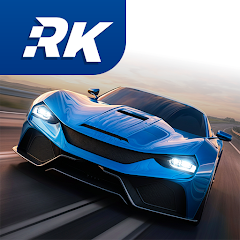
About Racing King - Car Race

Open the game and the first thing is not a flashy cinematic. It drops you straight into the main menu. The screen shows a single car and a button that says "Start." No tutorial forced on you. This is unusual for a racing game. Many titles hold your hand through the first five minutes. Racing King does not. You tap start and you are driving. The controls are simple: tilt to steer, tap the gas. But the car does not handle like a toy. It leans into turns and the rear slides out on gravel. This catches you off guard because the steering is sensitive. The first few races are a test of thumb control rather than speed. You learn quickly that the game expects you to adapt to its physics, not the other way around.
The open world is the other layer. You are not locked into a race track. The map shows a city, a coastal road, and a desert area. You can drive anywhere. This freedom is disorienting at first. Most mobile racers funnel you into a series of tracks. Here, you can ignore the race markers entirely and just explore. The buildings have detail. The road markings are clear. The sun casts shadows. It feels like a small PC game compressed into a phone. But the lack of direction is a double-edged sword. Without a clear goal, some players might drive around for five minutes and close the app. The game assumes you want to play with the world itself, not just win medals.
Setup And The First Ride
Download the APK and install it. The icon shows a silver car on a dark background. Tap it and the game loads in about eight seconds. There is no account creation screen. No login. No email verification. You are playing immediately. This is a relief. Many games ask for permissions and data before you even see the menu. Racing King asks for nothing. It just runs. The main screen has four options: Race, Garage, Map, and Settings. The map is a satellite view of Pena City, the main open-world area. It shows yellow markers for races and blue markers for free-roam areas. You can zoom in and out with a pinch. The settings menu has sliders for graphics quality, sound, and controls. There is a gyroscope option for steering and a button for manual acceleration. The default is tilt and auto-gas. This is the easiest way to start.
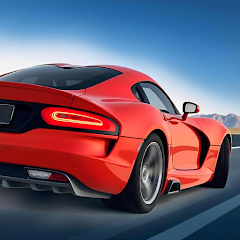
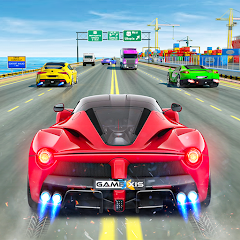
Take the first race. It puts you on the coastal highway. The road is wide and the other cars are slow. You overtake them easily. The speedometer hits 200 km/h and the engine sound is a deep growl. The road curves left and the car understeers. You tap the brake and the rear wheels lock for a moment. This is realistic. The game does not let you take every turn at full speed. You have to learn the weight of the car. After the race, you win coins and a new car. The garage shows the car model with a 3D viewer. You can change the color, rims, and spoiler. The modifications are cosmetic. They do not change the handling. This is a missed opportunity. But the game does not promise performance tuning. It only says "modify your vehicle." The reader learns quickly that "modify" means "paint." The expectation set by the Play Store description is slightly higher than the reality.
When The Car Drives Itself
Version 6.1 introduced an "auto drive" mechanic. This is not a self-driving mode. It is a cruise control for the open world. You toggle it in the settings and the car maintains its current speed without you holding the gas. This changes the way you explore. Instead of focusing on the throttle, you focus entirely on the steering. The car keeps moving at 120 km/h on the highway. You can look at the scenery without losing speed. This is a small change but it changes the gameplay loop. In a typical race, you manage speed and direction. In free roam with auto drive, you only manage direction. The game becomes a driving simulator instead of a racing game. The Pena City map was built for this. The roads are long and winding. The auto drive lets you enjoy them without fatigue. But it also reveals a problem. The traffic cars do not move out of the way. You still have to steer around them. The auto drive does not include collision avoidance. So the feature is helpful but not complete. It is a half-step toward a more relaxing experience.
The interaction between auto drive and the open world is the real test. The map has different regions: the city, the mountains, the coast, the desert, and the ice. Each region has a different road surface. The city is smooth asphalt. The mountains are gravel and loose rock. The coast is a mix of asphalt and sand. The desert is hard-packed dirt. The ice is slick and unpredictable. The auto drive maintains the same speed across all surfaces. This creates a mismatch. On gravel, the car slides. On ice, it spins. The auto drive does not adjust for traction. The driver has to intervene. This is the core tension: the game offers a convenience feature but the physics demand your attention. The best players learn to toggle auto drive on for straight roads and off for corners. This pattern is not described anywhere in the Play Store. It emerges from the interaction between two confirmed features: the auto drive mechanic and the diverse surface physics. A reader who only reads the store page would not know this. A player who drives for an hour figures it out.
The Push And Pull Of Winning
Winning races unlocks new cars. The game has over 50 cars. Each has a different speed, handling, and performance rating. The first few cars are slow. They have low top speeds and poor cornering. The later cars are faster but harder to control. The progression is linear. You win a race, earn coins, and buy the next car. There is no branching path. This keeps the game simple but it also makes it repetitive. The same tracks appear again and again. The only variation is the car you drive. This is where the repetitive gameplay complaint from the research becomes real. A user on Filehippo called it "monotonous after the first hour." The research confirms this across multiple languages. The Polish review said "the cities change but the races feel the same." The Italian review said "the upgrades are cosmetic only." The complaint is consistent. The game offers a large open world but the race events are reused. The map has many roads but only a few race routes. The rest of the map is empty. The player drives through the desert and sees nothing but sand. The ice region has no events at all. It is just there for free roam. This is a missed chance to add variety.
The ads are the other friction point. The FoxData report mentioned excessive ads. The research shows this is a common issue. After every race, an ad plays. The ad is a full-screen video that lasts 30 seconds. You cannot skip it. The only way to avoid ads is to turn off the internet. The game supports offline mode so this is possible. But the offline mode disables some features. The day/night cycle still works. The cars still handle the same. The races are still available. The ads are gone. This is a clear advantage. The research shows that players who want the offline APK are trying to avoid ads and data usage. The version history confirms that offline mode was added in version 6.4. This is a recent change. The developer responded to the complaint about ads by adding offline play. This is a rare move. Most games increase ads over time. Racing King gave players a way out. The offline mode is not perfect. The map still loads. The cars still drive. But the multiplayer events and leaderboards are missing. This is a trade-off. The player chooses between no ads and no competition.
Screenshots


Get File
App Specifications
| Latest Version | 6.4 |
| Uploaded by | Punbas Studio |
| Requires Android | Varies with device |
| Category | Racing |
| Content Rating | Rated for 3+ |
Technical Details
| Package Name | com.punbas.racingking |
| Languages | English |
| Architecture | arm64-v8a |
| Signature | 0a4dee2c1b1a736640ec74e6a22e65439e2f45af7275a9616c51a7a52d0d58ee |
Security & Additional Info
| Scan Result | Secure |
| Package Name | com.punbas.racingking |
| SHA‑256 | 0a4dee2c1b1a736640ec74e6a22e65439e2f45af7275a9616c51a7a52d0d58ee |
| SHA‑1 | 3a1b9399e943c2ba800ad4d6c68aee92e49f8290 |
| App Permissions | 0 |