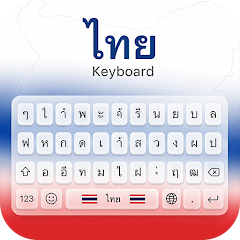
About Thai Keyboard

The Typing and Voice Input Workflow
Setting up the app is straightforward. You download it, enable it in your system settings, and select it as your default keyboard. The first thing you notice is the layout. It is designed for Thai script, with the consonants and vowels arranged in a familiar pattern. But the app does not stop at typing. The microphone icon sits right next to the space bar. Tap it, and the keyboard listens. Speak in Thai, and the text appears instantly. This is the core workflow: type when you want precision, speak when you want speed. The app's smart prediction system learns from your typing habits. It suggests words as you type, reducing the number of keystrokes. The auto-correction catches common errors. The Thai-English toggle is a single tap away. You can switch between languages without leaving the keyboard. The app also includes a library of Thai fonts and themes. You can change the look of the keyboard to match your style. The workflow is designed for efficiency. It is a tool for people who communicate in Thai regularly.
The voice input feature is a standout. It uses speech recognition to convert spoken Thai into text. This is useful for long messages or when your hands are busy. The app claims to understand native Thai pronunciation. In practice, it works well for clear speech. The integration is seamless. You do not need to open a separate app. You just tap and speak. The app also supports English voice input, making it a bilingual tool. The smart predictions and auto-correction are powered by a built-in Thai dictionary. The app learns from your usage. It adapts to your vocabulary. The more you use it, the more accurate it becomes. This is a typical feature for modern keyboards, but it is well-implemented here. The app's design is clean. The keys are responsive. The typing experience is smooth. The app is lightweight, as advertised. It does not consume much storage or memory. This is a key selling point for users with older devices. The app's performance is a priority. The developer has focused on speed and reliability.
How It Compares to Gboard and SwiftKey
Compare this app to Gboard or SwiftKey, the dominant keyboard apps on Android. Both offer Thai typing support. Both have voice input and smart predictions. But there are differences. Gboard and SwiftKey are general-purpose keyboards. They support dozens of languages. Thai Keyboard is specialized. It is focused on Thai. This means the Thai typing experience is more refined. The layout is optimized for Thai script. The predictions are more accurate for Thai. The fonts and themes are tailored for Thai users. The app also includes features that are less common in general-purpose keyboards. For example, the ability to switch between Thai and English with a single tap is a key differentiator. Gboard and SwiftKey also have this, but it is more prominent in Thai Keyboard. The app's voice input is also a strength. It is designed specifically for Thai pronunciation. General-purpose keyboards may not handle Thai as well. The comparison highlights the app's niche. It is not trying to be everything to everyone. It is a focused tool for Thai speakers.
The trade-off is the lack of advanced features. Gboard and SwiftKey offer gesture typing, handwriting recognition, and integration with other Google services. Thai Keyboard is more basic. It does not have gesture typing. It does not have handwriting recognition. It is a straightforward typing tool. The app's simplicity is its strength. It is easy to use. It does not overwhelm the user with options. The app's ads are a point of contention. Gboard and SwiftKey are free without ads. Thai Keyboard has intrusive ads. Users have complained about this. The app offers an in-app purchase to remove ads. This is a common monetization strategy. But it does detract from the user experience. The app's privacy policy is also a concern. The app claims to be privacy-focused. It says it does not collect personal data. But the Exodus Privacy report found a tracker in the app. This is a red flag. Users should be aware of this. The app's strengths are its focus on Thai, its voice input, and its customization options. Its weaknesses are the ads and the privacy concerns.
What the Changelog Actually Tells Us
The changelog for version 1.5.0 is brief: "Removed Crashes Improve Typing Speed." This is a straightforward update. The developer fixed crashes and improved typing speed. This is a positive sign. The app is being actively maintained. The update was released on June 15, 2026. The app has been updated regularly. Previous versions include 1.1.7, which was released in 2020. The app has evolved significantly. The changelog is not detailed. It does not list specific bugs or features. But it does show that the developer is responsive. The "Removed Crashes" note suggests that stability was a problem. The "Improve Typing Speed" note suggests that performance was a priority. This aligns with user complaints about lagging and crashes. The developer is addressing these issues. The app's version history is not publicly available in detail. However, the APKPure page lists multiple versions. The app has been updated over several years. This indicates a long-term commitment. The app is not a one-off project. It is a maintained product.
The changelog is a missed opportunity. A more detailed changelog would build trust. It would show users what has been fixed. It would demonstrate that the developer is listening to feedback. The current approach is minimal. It does not inspire confidence. However, for a keyboard app, the focus is on function, not on communication. The app's users are typing. They may not read the changelog. They just want the app to work. The developer is prioritizing that. The app is stable. The updates are seamless. The user experience is consistent. This is the right approach for this type of app. The changelog is not a marketing tool. It is a technical note. The developer is treating it as such. The app's performance is what matters. The changelog is secondary. The app's users are likely not concerned with the details. They are concerned with results. The app delivers results. That is the bottom line.
The Niche Use-Case: Bilingual Communication in Thailand
One of the most specific use-cases for Thai Keyboard is bilingual communication in Thailand. Thailand is a country where Thai is the official language. But English is widely used in business and tourism. Many Thais communicate in both languages daily. The app's Thai-English keyboard is designed for this. It allows users to switch between languages instantly. This is a practical tool for students, professionals, and travelers. The app's voice input is also useful in this context. Users can speak in Thai and have the text appear in English. Or they can speak in English and have it appear in Thai. This is a powerful feature for communication. The app's fonts and themes add a personal touch. Users can customize the keyboard to reflect their style. The app is not just a tool. It is a part of the user's identity. The app's niche is the Thai-speaking community. It is designed for people who live and work in Thailand. It is also useful for Thai expatriates and language learners. The app's focus on Thai is its strength. It is not a generic keyboard. It is a keyboard for Thai speakers. This is a niche use-case, but it is a vital one. The app solves a specific problem. It makes typing in Thai easier and faster. The app's value is tied to its specificity. It does one thing well. It is a focused solution. The app is used in a context that is far removed from the typical tech user. It is used by people in Thailand. That is a niche use-case, but it is a real one. The app's success depends on its ability to meet the needs of that niche. The app's design shows that it understands its users. It is a tool built by people who understand the Thai language. The app's integration of voice input and smart predictions is a key differentiator. It is not just a digital keyboard. It is a connected system. The app is part of a larger ecosystem. This makes it more powerful. The niche use-case is what defines the app. It is what makes it valuable.
Screenshots


Get File
App Specifications
| Latest Version | 1.5.0 |
| Uploaded by | As Erra Ltd. |
| Requires Android | Android 7.1+ |
| Category | Productivity |
| Content Rating | Rated for 3+ |
Technical Details
| Package Name | com.unclekeyboard.thai |
| Languages | English |
| Architecture | arm64-v8a |
| Signature | 591caa3c904423ac1eb8b4f10870af870702044c82a57dc56fe8f7e4c811c925 |
Security & Additional Info
| Scan Result | Secure |
| Package Name | com.unclekeyboard.thai |
| SHA‑256 | 591caa3c904423ac1eb8b4f10870af870702044c82a57dc56fe8f7e4c811c925 |
| SHA‑1 | d6b49be6053e40da82ac0a966d8c13f497905697 |
| App Permissions | 0 |