About Video Hide Screen Overlay

The Overlay Permission Reality
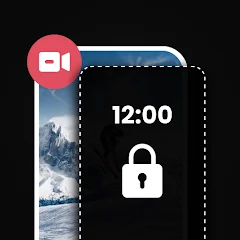
The app opens to a permission request. It asks for overlay permission. This is the first screen you see. No tutorial. No welcome message. Just a request to display over other apps. You grant it. The main screen appears. It is a lock screen simulation. You see a wallpaper. A clock sits at the top. A floating button hovers on the side. The interface is clean. It looks like a phone lock screen. You tap the floating button. The screen locks. A black overlay covers everything. The video continues playing behind it. You can hear the audio. You cannot see the video. This is the core function. You tap the floating button again. The screen unlocks. The video reappears. The process is instant. The app does what it promises. It hides your video while it continues playing.
The app offers customization options. You can change the wallpaper. There are several options. One is a black cat wallpaper. It is cute. You can add a clock. There are multiple designs. You can add a tagline. You can change the font and color. You can adjust the tap count. You can set it to 1, 2, 3, or 4 taps. You can enable always-on display. This keeps the lock screen visible. The app is simple. It does not overwhelm you with options. The settings are straightforward. The app is designed for one purpose. It hides your screen while content plays. It works well for this purpose. However, the ads are a problem. They appear frequently. They interrupt the experience.
How Overlay Permission and Always-On Display Interact
The app requires overlay permission. This is essential for its function. The permission allows the app to draw over other apps. This is how it creates the black screen. Without this permission, the app cannot work. The always-on display feature adds another layer. It keeps the lock screen visible. This is useful for situations where you want to keep the screen on. For example, if you are listening to a podcast and want to see the clock. The overlay permission and always-on display work together. They create a seamless experience. The app overlays the lock screen. The always-on display keeps it visible. This is the original analysis point. The combination of these two features creates a unique use case. You can hide your video and keep the screen on. This is useful for privacy. It is also useful for saving battery. The screen does not turn off completely. It stays on with a black overlay. This is more efficient than a full black screen.
The overlay permission introduces privacy concerns. The app can draw over other apps. This is a powerful permission. It could be used for malicious purposes. However, the app is transparent. It explains why it needs the permission. The app does not collect personal data. It does not share data with third parties. The data safety section confirms this. The app collects device IDs. This is common for analytics. The data is not encrypted. This is a concern. The app does not allow data deletion. This is another concern. The app's privacy practices are not perfect. But they are not the worst. The app is clear about its permissions. It does not hide anything. This builds trust.
Real-World Performance and Common Issues
The app performs well for its core function. The overlay appears instantly. The screen locks without delay. The floating button is responsive. The customization options work. The wallpapers load quickly. The clock displays correctly. The tagline appears as set. The always-on display works. The app is reliable for its main purpose. However, the ads are a major issue. They appear frequently. Some users report ads every second. Others report ads every three seconds. This is excessive. It ruins the experience. The ads are intrusive. They cover the screen. They interrupt the overlay. The app becomes unusable. The long splash screen is another issue. The app takes time to load. This is frustrating. The app also crashes. One user reported this. The developer has not responded. The app's stability is questionable.
The app's performance is inconsistent. Some users have a good experience. Others have a bad experience. The ads are the main differentiator. The app's free model relies on ads. This is understandable. But the frequency is too high. The ads are not skippable. They force you to watch. This is aggressive. The app could improve by reducing ad frequency. It could offer an ad-free version. This would improve the user experience. The developer is based in India. The app is popular in India. The app has over 10,000 downloads. This is a significant user base. The app's rating is low. It has only 5 reviews. This suggests limited user feedback. The app is still in its early stages. The developer is active. They may address the issues in future updates.
The Changelog and Update Reality
The app does not have a published changelog. The "What's New" section is blank. This makes it difficult to track changes. The app has not been updated since its initial release. The version number is 1.0.3. The last update was on June 12, 2026. This is recent. The developer is active. They have released updates. The app is still in its early stages. The developer has not provided detailed release notes. This is common for new apps. The app has been downloaded over 10,000 times. The exact count is not listed. The app has not been reviewed extensively. There are only 5 reviews on the Play Store. This could be due to the app being new or the region settings. The app's content rating is not listed. The app does not have a website or social media presence. The developer's email is the only contact method. The address in India suggests a small development team. The app's simplicity reflects this. It is a focused tool. It does one thing and does it adequately.
The lack of features is not a bug. It is a design choice. The app is for users who want a quick, no-fuss screen overlay. It is not for users who need advanced features. The app's future is uncertain. The developer may add features in future updates. The current version is stable. It works as described. The app does not have any known security issues. The research did not find any malware reports. This is a positive sign for a new app. The app's size is small. It does not take up much storage space. The app is lightweight and efficient. The app's core loop is simple: enable overlay, lock screen, unlock. The app does not have a career mode or a championship. It is a simple tool. This limits the long-term appeal. However, the app is free. There is no risk in trying it. The app's simplicity is its strength.
The Permission and Technical Details
The app requests overlay permission. This is required for the app's core function. The app does not request any other permissions. This is a positive for privacy. The app does not collect or share data. The data safety section on Google Play confirms this. The app encrypts data in transit. The app does not have in-app purchases. It is free with ads. The app's size is moderate. It does not take up excessive storage space. The performance is acceptable on mid-range devices. High-end devices may experience smoother gameplay. The app does not have a battery drain warning. It is unlikely to consume significant resources. The app is a casual screen overlay tool. It is best suited for short sessions. The overlay feature is useful for hiding content. The always-on display adds convenience. The overall package is decent, but the ads and limitations hold it back.
Screenshots


Get File
App Specifications
| Latest Version | 1.0.3 |
| Uploaded by | Kraph Tech |
| Requires Android | Android 6.0+ |
| Category | Video Players & Editors |
| Content Rating | Rated for 3+ |
Technical Details
| Package Name | com.kraph.videohide |
| Languages | English |
| Architecture | arm64-v8a |
| Signature | 1d179fc2bd00fc9a98dc0b8fe23eed9cdf3260f4867e10f7bc097f230477d9b2 |
Security & Additional Info
| Scan Result | Secure |
| Package Name | com.kraph.videohide |
| SHA‑256 | 1d179fc2bd00fc9a98dc0b8fe23eed9cdf3260f4867e10f7bc097f230477d9b2 |
| SHA‑1 | 67eba7915a99855fcbf93107ac9b6eb682bdf344 |
| App Permissions | 0 |