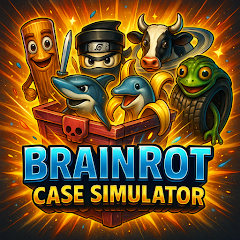
About Brainrot Drop Merge

The first thing that happens after installing this game is a permission request for storage access. The app needs to save game data and cache assets. Granting that permission leads to a colorful home screen with a large "Open Case" button. There is no tutorial, no walkthrough. The user is left to figure out that tapping the button triggers a spinning animation. A virtual case appears, rotates, and opens with a flashy effect. A random meme character pops out with a unique sound effect. The character is then added to a collection. This is the core loop: open cases, collect characters, and occasionally play mini-games. The interface is minimal, almost bare. The user can view their collection, see the characters they have unlocked, and check their progress. The game does not provide any guidance on how to merge characters or what the mini-games entail. The user must explore and discover these features on their own.
The merge mechanic is the second half of the game. Characters can be combined to create new, more powerful versions. The merge process is simple: drag one character onto another of the same type. The two characters merge into a single, upgraded character. This is a common mechanic in merge games, and it works as expected. The game does not explain the merge tree or which characters can be merged. The user must experiment to discover the combinations. This creates a sense of discovery but also frustration. A user who merges the wrong characters might lose progress or waste valuable resources. The game does not offer a way to undo a merge.
When case-opening and merging collide
The case-opening and merging features are designed to work together, but they create a specific friction point. The case-opening mechanic is purely random. The user has no control over which characters they unlock. The merge mechanic requires specific combinations of characters. This means a user might spend a long time opening cases to get the right characters for a merge. The game does not offer a way to trade or sell unwanted characters. The user is stuck with whatever the random case gives them. This creates a grindy experience. The user must open dozens of cases to get the characters they need for a single merge. The game also does not provide a way to speed up the case-opening process. Each case opening takes a few seconds, and the user must watch the animation each time. There is no "open all" or "skip" button.
The two mini-games are supposed to break up the monotony, but they have their own issues. The Meme Math mini-game is a fast-paced math quiz. The user must solve equations before time runs out. The Reaction Range mini-game is a reflex test. The user must tap targets as quickly as possible. Both mini-games are functional, but they are not integrated with the main game. Completing a mini-game does not reward the user with cases or characters. The user plays them purely for fun, which defeats the purpose of having them as features. A user who is grinding for characters has no incentive to play the mini-games. This is a missed opportunity for engagement.
The ad load and what it costs
Ads are the primary revenue model, and they are pervasive. A banner ad sits at the bottom of the screen at all times. An interstitial video ad plays after every case opening and after every mini-game session. Users reporting "so much adds" are not exaggerating. The cadence is aggressive even by free-to-play standards. The game does not offer a clear way to remove ads through a one-time purchase. The iOS version offers a remove ads option for $4.99, but the Android version does not appear to have this option. This leaves Android users with no escape from the constant interruptions.
Performance takes a hit during ad transitions. The game sometimes stutters or lags when an ad loads, especially on older devices. The game is marketed as a "simulation," but the ad SDKs are not optimized for low-end hardware. This creates a disconnect between the game's simple graphics and the jerky ad experience. For a user on a budget device, the ads can make the game feel sluggish and unresponsive.
The permission that matters most
The app requests storage access, which is necessary for saving game data and caching assets. It also requests network access, which is required for ads. The app does not request any other permissions, which is a positive point. The storage permission is broad, but it is standard for games that save progress. The app's privacy policy states that data is shared with third parties for advertising purposes. The data is not encrypted and cannot be deleted, according to the Google Play data safety section. The developer, COOL GAMES, is based in Russia, which has less stringent data protection laws than the EU or US. Users should be aware that their data may be subject to different legal standards.
Screenshots


Get File
App Specifications
| Latest Version | 1.1 |
| Uploaded by | COOL GAMES |
| Requires Android | Android 6.0+ |
| Category | Simulation |
| Content Rating | Rated for 3+ |
Technical Details
| Package Name | com.COOLGAMES.BrainRotCaseSimulator |
| Languages | English |
| Architecture | arm64-v8a |
| Signature | c4ccfab7363aaa3bdd9cc9c90f7aae27aaaedfc407a0a335ad87bcbb9ea56222 |
Security & Additional Info
| Scan Result | Secure |
| Package Name | com.COOLGAMES.BrainRotCaseSimulator |
| SHA‑256 | c4ccfab7363aaa3bdd9cc9c90f7aae27aaaedfc407a0a335ad87bcbb9ea56222 |
| SHA‑1 | 1a67563acb9288fbe858233fbf3657b9d4b4ed14 |
| App Permissions | 0 |