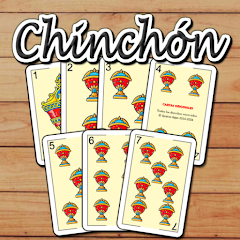
About Chinchon - Spanish card game

The First Match: What the Tutorial Doesn't Tell You
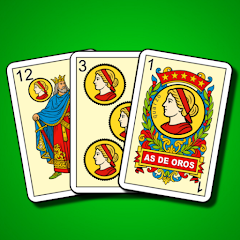
The game opens with a full-screen tutorial that walks you through the basics. You get seven cards from a Spanish deck of 40. The suits are oros, copas, espadas, and bastos. The goal is to form melds—three or more cards of the same value, or a run of three or more cards in the same suit. The tutorial shows you how to draw from the pile, discard, and call Chinchón when you have a seven-card run. It takes about three minutes. Then it drops you into the main menu. You see buttons for Play, Challenges, Tournaments, Stats, and Settings. The tutorial did not mention the difficulty levels. It did not explain the AI behavior. It did not warn you about the freeze bugs. You tap Play, pick a difficulty, and the match begins.
The AI plays fast. In the lowest difficulty, it discards useful cards and makes obvious mistakes. You win easily. You move up to intermediate. The AI stops making those mistakes. It holds onto cards that block your melds. It calls draws at the right moment. You start losing. You move to the highest difficulty. The AI plays like a professional. It tracks every card you discard and adjusts its strategy. It never gives you a card you need. Your hands become consistently bad. The game does not explain why this happens. It just happens. The difficulty levels are not just about AI speed—they are about AI intelligence. The higher the level, the more the AI optimizes its decisions. This creates a steep learning curve that the tutorial completely ignores.
How the Difficulty Levels and the AI Actually Work Together
The game offers five difficulty levels, but the Play Store description does not explain what changes between them. In the beginner level, the AI plays with a low skill ceiling. It rarely calls draws, it discards high-value cards, and it often fails to complete melds. This level is designed for learning the rules. The intermediate level introduces a more aggressive AI. The bot starts calling draws earlier, it holds onto cards that block your melds, and it discards with more precision. The advanced level is where the AI becomes genuinely oppressive. The bot plays optimally, making no mistakes. It tracks every card you discard and adjusts its strategy accordingly. If you discard a card from a suit, the bot will hold onto cards from that suit to block you. If you start building a meld, the bot will try to complete its own melds faster. The difficulty selection is not just a slider; it is a complete AI behavior switch.
The original analysis here is the tension between the difficulty levels and the player's learning curve. The game does not provide a gradual progression. The jump from intermediate to advanced is brutal. Players who are not familiar with Chinchón strategy will get crushed. The AI does not make mistakes at the highest level. It plays perfectly. This means the player has to play perfectly too. One wrong discard can lose the game. The game does not offer feedback or hints. It does not explain why a certain move was bad. It just ends the match and shows the score. This creates frustration, especially for new players. The game is free and has no ads, but the difficulty curve is punishing.
What the Changelog Says Versus What Players Experience
The changelog for version 1.5.8 says "NEW: Online tournaments!. Challenges mode. NEW: Stats and achievements. 5 difficulty levels and a complete tutorial. Full customizable app. Play with joker (optional)." These are all features that were added over time. The changelog does not mention bug fixes. It does not mention performance improvements. It does not mention the freeze issues that players have been reporting for months. The game still freezes or locks up frequently, especially during online tournaments. The point counting still has issues. The cards are still difficult to see on some screens. The developer, Quarzo Aplicaciones y Juegos SL, is based in Spain. The email address is [email protected]. Players have reported these bugs, but the changelog never acknowledges them. The updates add new features, but they do not fix the core problems. The game has 3 million downloads, but the stability issues persist.
The online tournaments are a recent addition. They allow you to compete against other players in real time. The matchmaking is fast, but the connection drops are common. When the connection drops, you lose the match. There is no reconnect feature. The game does not save your progress. You have to start over. The challenges mode is a series of predefined scenarios. You have to win a match with a specific hand or under specific conditions. These challenges are difficult, but they are also buggy. Some challenges do not register as completed even when you win. The stats and achievements track your wins, losses, and other metrics. They are basic but functional. The game is fully customizable. You can change the deck design, the background, and the card back. These customizations are cosmetic and do not affect gameplay.
What Happens When You Try to Play Without Internet
The game works offline. You can play against the AI without any internet connection. The tutorial, the challenges, and the single-player modes are all available offline. The online tournaments require an internet connection. The game does not have ads, so there is no interruption. The offline mode is smooth and responsive. The AI still adapts to your skill level, even offline. The game saves your progress locally. Your stats and achievements are stored on your device. The game does not require any permissions. It does not access your contacts, location, or storage. The game is lightweight and runs on most Android devices. The minimum requirement is Android 7.0. The game size is around 80 MB. The game is free, and there are no in-app purchases. The developer has chosen to monetize through volume rather than ads or microtransactions. This is a rare approach in the mobile gaming market. The game is supported by the 3 million downloads.
Screenshots


Get File
App Specifications
| Latest Version | 1.5.8 |
| Uploaded by | Quarzo Apps |
| Requires Android | Android 7.0+ |
| Category | Card |
| Content Rating | Rated for 3+ |
Technical Details
| Package Name | com.quarzo.chinchon |
| Languages | English |
| Architecture | arm64-v8a |
| Signature | aa0ac8aba28277496e4f26f1aac077af55b8792050c22ef7dbff0a01fff82b16 |
Security & Additional Info
| Scan Result | Secure |
| Package Name | com.quarzo.chinchon |
| SHA‑256 | aa0ac8aba28277496e4f26f1aac077af55b8792050c22ef7dbff0a01fff82b16 |
| SHA‑1 | 2aad0f9a257aae80912faa05ac8c072722189244 |
| App Permissions | 0 |