About History Date Guesser - Quiz

Opening the App for the First Time
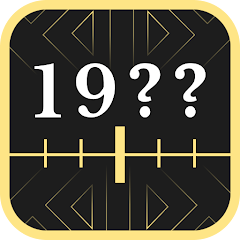
The app loads directly to a question screen. No login. No tutorial. No permission requests. Just a question at the top, a date slider at the bottom, and a submit button. The question is something like "When was the light bulb invented?" You drag the slider to a year and tap submit. The app tells you how close you were and awards points based on accuracy. That is the entire core loop. There is no onboarding flow, which means new users might feel lost at first. However, the interface is simple enough that most people can figure it out within seconds. The app does not ask for any permissions upfront. It only requests location access if you use the ranking feature, which is optional. This is a respectful approach compared to many apps that demand permissions immediately. The offline capability is evident from the start — the question database is stored locally, so you do not need a network connection to play. The app also supports multiple languages, including English, Polish, French, German, Spanish, and Italian. The language is set based on your device's system language, but you can change it in the settings. The design is clean and functional, with a dark theme that is easy on the eyes. There are no flashy animations or distractions. Just the question, the slider, and the points. This minimalism is both a strength and a weakness. It makes the app accessible, but it also means the app lacks the polish of more visually rich trivia games.
The home screen shows your current skill level, the number of questions you have answered, and your rank on the global leaderboard. Below that, a list of categories: History, Movies, Culture, Art, Games, Sports, Food, Fashion & Beauty, Music, Vehicles, World, and Technology. Tapping a category starts a round of questions from that category. Each round consists of 10 questions. You earn points based on how close your guess is to the correct date. The closer you are, the more points you get. If you guess the exact date, you earn a bonus. The app also tracks your accuracy percentage and your average points per question. These stats are displayed on your profile page. The profile page also shows your achievements, which are unlocked by reaching certain milestones, such as answering 100 questions correctly or achieving a 90% accuracy rate. The achievements add a layer of motivation for competitive players. The ranking system compares your score with players worldwide. You can see your rank and the ranks of your friends if you connect the app to social media. The app does not force you to create an account. You can play as a guest, but your progress will not be saved if you uninstall the app. Creating an account is optional and only required for saving progress and competing in rankings.
How the Hint System and Scoring Work Together
The hint system is the app's strategic core. You have three hint options: narrow the timeline, reveal the last digit, or switch to quiz mode. Narrowing the timeline reduces the range of years you can select, making it easier to guess the correct date. Revealing the last digit shows you the final digit of the correct year, which can be a significant clue. Switching to quiz mode turns the question into a multiple-choice format with four options. Each hint costs a certain number of points. The cost increases with each hint you use in a round. This creates a strategic trade-off: using a hint early can save you from a wrong guess, but it reduces your potential points. The scoring system rewards accuracy above all else. The closer your guess is to the correct date, the more points you earn. A perfect guess earns a bonus. A guess that is off by a few years still earns some points, but a guess that is off by decades earns almost nothing. This means that using a hint to narrow the timeline can significantly increase your chances of earning a high score. However, using a hint also consumes points, so you need to balance the cost against the potential reward. This strategic layer is not explicitly described on the Play Store page. The page mentions hints and scoring separately, but it does not explain how they interact. The interaction creates a risk-reward dynamic that makes the game more engaging than a simple trivia quiz. Players must decide when to use hints to maximize their score, and this decision changes based on the question and the player's knowledge. This is the original analysis opportunity: the hint system and scoring mechanism are designed to work together, but the synergy is only apparent when you actually play the game.
The life points system adds another layer of strategy. You start with five life points. Each incorrect guess costs one life point. When you run out of life points, the round ends. You can earn more life points by answering questions correctly or by watching ads. The life points system limits how many mistakes you can make, which forces you to be more careful with your guesses. It also encourages you to use hints to avoid wrong answers. The hints and life points systems are interconnected: using a hint can save a life point, but it costs points. This creates a resource management game within the trivia game. You have to manage your points and your life points simultaneously. This is a more complex system than most trivia games offer. The app also includes skill points, which are earned by answering questions correctly and are used to level up your profile. Leveling up unlocks new categories and achievements. The skill points system provides a sense of progression and keeps players engaged over the long term. The combination of these systems — hints, life points, skill points, and scoring — creates a rich gameplay experience that goes beyond simple trivia. The Play Store description lists these features individually, but it does not explain how they work together to create a strategic experience.
Performance and Stability Observations
The app runs smoothly on most devices. The startup time is quick, and navigation between screens is responsive. The app does not display ads during gameplay, which is a pleasant surprise for a free app. However, the iOS version includes in-app purchases for ad removal and ticket packs, suggesting that ads may be present in some versions. The Android version appears to be ad-free based on the available data, but this may change in future updates. The app has a rating of 3.93 stars based on 200 ratings, indicating that while many users are satisfied, some have encountered issues. The most common complaints, according to one source, include a timer that some find too restrictive, a timeline control that can feel imprecise for distant dates, and a heart system that limits play sessions. The ad frequency is also frequently noted as a frustration. The app's data safety section states that no data is shared with third parties and that data is encrypted in transit. However, the app does collect location data, app activity, and two other data types. The privacy policy is available within the app. The app also includes a "Play with Friends" mode, which was added in a recent update. This mode allows you to compete with friends in real-time. The update also added Dutch as a new language and included bug fixes. The app's development appears to be active, with regular updates adding new features and improvements. The project is co-financed by the European Funds for the Modern Economy under the KPT ScaleUp Booster project, which suggests that the developer is based in Poland and has received funding for the app's development. This is a positive sign for the app's long-term viability.
One Technical Detail About Offline Play
The app stores the entire question database locally on your device. This includes over 3000 questions across 12 categories. The database is updated when you install new versions of the app. The app does not require an internet connection to play, which means you can use it anywhere, even in areas with no cell service. This is a significant advantage over trivia apps that rely on cloud-based question databases. However, it also means that the question database is static. New questions are only added through app updates, not through real-time downloads. This limits the app's ability to keep up with current events. The offline play feature also means that the app does not sync your progress across devices unless you create an account. If you play on your phone and then switch to a tablet, your progress will not carry over. The app's ranking system requires an internet connection to submit your score to the global leaderboard. If you are offline, your score is stored locally and uploaded when you reconnect. The app uses the device's internal clock and calendar to track your progress and schedule notifications. The notifications are generated locally on the device, not through a push notification service. This approach has two advantages: it works offline, and it does not require any server infrastructure. However, it also means that notifications are only as accurate as the device's clock.
Screenshots


Get File
App Specifications
| Latest Version | 3.1.4 |
| Uploaded by | Szymon Gastoł |
| Requires Android | Varies with device |
| Category | Trivia |
| Content Rating | Rated for 3+ |
Technical Details
| Package Name | com.GaselStudio.DateGuesser |
| Languages | – English 🇬🇧, Polish 🇵🇱, French 🇫🇷, German 🇩🇪, Spanish 🇪🇸, Italian 🇮🇹 |
| Architecture | arm64-v8a |
| Signature | 859e896d33293f02d7bef21f8820e1de355fac979f4a8992b79459171c7c57c3 |
Security & Additional Info
| Scan Result | Secure |
| Package Name | com.GaselStudio.DateGuesser |
| SHA‑256 | 859e896d33293f02d7bef21f8820e1de355fac979f4a8992b79459171c7c57c3 |
| SHA‑1 | dec8076f210367aad6559b129fc945c61dc8eb40 |
| App Permissions | 0 |