About QuizzLand. Quiz & Trivia game

Opening the App – The First Maze
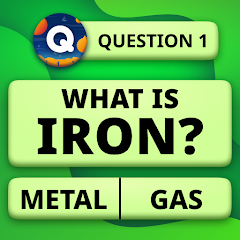
Tap the icon, and you land on a grid of tiles. No splash screen. No tutorial. No sign-up. A trivia maze stretches before you. Each tile hides a question. You tap one, and a multiple-choice question appears. Answer correctly, and the tile flips. Answer incorrectly, and you lose a life. Your goal is to find the exit—a special tile that completes the level. This is the core loop: navigate the maze, answer questions, find the exit. The app does not explain the hints or the mini-games. You discover those as you play. For some, this is liberating. For others, it is confusing. The first few minutes are spent figuring out that you have hints like "Fifty Fifty" and "Double Chance," and that you can earn coins by answering correctly. The app does not advertise these features prominently, which is a missed opportunity.
The interface is clean but basic. The main screen shows the maze grid, your lives in the top-left corner, and your coin balance in the top-right. The colour palette is muted — blues, greens, and greys — evoking a calm, focused atmosphere. There is no background music, only the occasional sound effect when you flip a tile or answer correctly. This silence is intentional. The app wants you to focus on the questions, not on distractions. The text is in English by default, but the app supports multiple languages. This is a positive feature for a global audience.
The maze progression is straightforward. Each level is a grid of tiles. You must find the exit by answering questions. The difficulty scales with white scales under each question—more scales mean harder questions and more points. The app does not warn you about the jump in difficulty. You simply move to the next level and discover that the questions are harder. This trial-and-error approach works for patient players but frustrates those who prefer clear difficulty indicators. The app also does not show you which levels you have completed, which reduces the sense of progress. A simple progress tracker would significantly enhance the experience.
The Trivia Maze and Hints – A Strategic Balance
The trivia maze mechanic is the app's defining feature. Unlike traditional trivia games where you answer questions in a linear sequence, QuizzLand presents you with a grid of tiles. You choose which tile to flip, giving you a sense of exploration and choice. This is a brilliant way to structure the experience, making it feel like an adventure rather than a test. The maze also introduces a strategic element: you must decide which tiles to flip based on the difficulty indicated by the white scales. Harder questions yield more points, but they also risk losing a life. This creates a tension between risk and reward. The app does not explain this strategy. You learn it through trial and error. For some, this is a satisfying challenge. For others, it is a source of frustration.
The hint system adds another layer of strategy. You have four main hints: "Fifty Fifty" removes two incorrect answers; "Double Chance" lets you try again if you answer incorrectly; "Majority Vote" shows what other players chose; and "Skip Question" lets you move to another tile without answering. Each hint costs coins. You earn coins by answering questions correctly, completing levels, and watching videos. This creates a delicate balance: you want to save coins for hints, but you also want to earn enough coins to afford them. The app does not explain the optimal strategy for using hints. You have to figure out when to use "Fifty Fifty" versus "Double Chance." For some, this is a fun puzzle. For others, it is a source of anxiety. The pressure to conserve coins can turn a relaxing game into a stressful one.
The mini memory games after each level provide a calming break. These short games are designed to refocus your attention and train your concentration, memory, and attention skills. They are a welcome contrast to the intensity of the trivia maze. However, the app does not explain the purpose of these mini-games. You discover them when you complete a level. For some, they are a pleasant surprise. For others, they are an interruption. The app also does not offer any way to skip the mini-games, which can be frustrating for players who want to continue with the trivia. This is a missed opportunity. A simple skip button would give players more control over their experience.
Real‑World Performance – Ads, Bugs, and Smooth Sailing
The app runs smoothly on most Android devices. There are no noticeable lags or crashes during gameplay, except for a reported issue with the 7-day login chests. The 106 MB size is moderate, and the app does not consume excessive storage. The data safety section on the Play Store states that the app shares personal info, messages, and other data types with third parties. Data is encrypted in transit, and users can request data deletion. This is a positive privacy signal. However, the Exodus privacy report is not available for this app, so the full extent of data collection is unclear.
Bugs are rare but not non-existent. The most common issue is ad-related crashes and UI glitches. Some users have reported that the app crashes after watching ads or that the ad overlay causes UI issues. The changelog mentions that the developer has "fixed all detected bugs and optimized game performance," suggesting that the app is actively maintained. However, the ad-related issues may still be present. Users should be prepared for occasional glitches. The app does not provide any troubleshooting guidance, which is a missed opportunity. A simple FAQ or help section would significantly improve the user experience.
The app's offline capability is a major strength. Once downloaded, the game works without an internet connection. This is ideal for users in areas with poor connectivity or for those who want to play without using mobile data. The offline mode means that all questions are stored locally. The trade-off is that updates require a full re-download of the APK, which can be cumbersome. The app does not support incremental updates. This is a limitation that users should be aware of.
Storage and Permissions – The Fine Print
The app requires standard permissions for network access and storage. The data safety section states that data is shared with third parties, but it does not specify which third parties or for what purpose. This is a red flag for privacy-conscious users. The app does not request location, camera, or microphone permissions, which is a relief. The storage permission is used solely for the question database and progress tracking. The app does not access your photos or other personal files. The app is free, but the data collection may be the price of entry. Users should be cautious about granting permissions.
Screenshots


Get File
App Specifications
| Latest Version | 3.16.008 |
| Uploaded by | Quiz & Trivia Games by Mno Go Apps |
| Requires Android | Android 6.0+ |
| Category | Trivia |
| Content Rating | Rated for 3+ |
Technical Details
| Package Name | com.xmonetize.quizzland |
| Languages | English |
| Architecture | arm64-v8a |
| Signature | fab952d15edb1bbc7dcb72d5d631e7d2e64b59b3a72df9bbfefe9d8a16201911 |
Security & Additional Info
| Scan Result | Secure |
| Package Name | com.xmonetize.quizzland |
| SHA‑256 | fab952d15edb1bbc7dcb72d5d631e7d2e64b59b3a72df9bbfefe9d8a16201911 |
| SHA‑1 | 7fcf12b4d1fca72b258070da4c8f0d5562e54400 |
| App Permissions | 0 |