About MusMus – Jugar al Mus online

What happens the second you open it
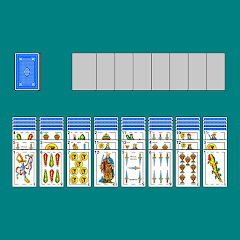
The loading screen shows a green felt table with Spanish cards. No tutorial pops up. The app drops you straight into the main menu. Three buttons sit at the bottom: "Find Game", "Create Game", and "Play AI". A small gear icon opens the settings. The default option is "Find Game". Tap it and the app asks for location permission. This is the first thing the app does. It wants to find games near you. If you deny location, it still works but shows games from farther away. The interface is clean. The text is in Spanish by default. The app matches your device language if it supports it. The cards are large and easy to read. The Spanish deck has 40 cards. No eights, nines, or tens. The app follows traditional Mus rules. The game is played in pairs. Two against two. The app handles the pairing automatically.
The AI mode is straightforward. Tap "Play AI" and the app creates a game with three AI opponents. The AI has three difficulty levels: Easy, Medium, and Hard. The default is Medium. The AI plays fast. A single turn takes about two seconds. The AI does not hesitate. It makes decisions based on the cards it holds. The app does not explain how the AI works. It just plays. The probability calculator is a separate feature. It is not part of the AI mode. You access it from the main menu. It runs Monte Carlo simulations. Over one million simulations per analysis. The calculator shows the probability of winning with your current hand. It updates in real time as you change cards. This is useful for learning the game. It is not required to play.
How the probability calculator and the AI work together
The probability calculator and the AI are two separate features, but they are connected in a way the Play Store page does not describe. The AI uses the same probability engine to make decisions. When you play against the AI, it calculates the odds of each possible move. It then chooses the move with the highest probability of winning. This is not random. It is a calculated decision. The AI does not bluff. It does not make risky moves. It plays optimally based on the probabilities. This makes the AI a tough opponent. It is not unbeatable, but it is consistent. The probability calculator gives you the same information the AI uses. You can see the odds of your hand. You can compare them to the AI's likely odds. This creates a learning loop. You play against the AI, check the calculator, and adjust your strategy. The app does not tell you this. It is an emergent behavior.
Here is the catch. The probability calculator is not available during a live game against other players. It is only available in the main menu. You cannot use it while playing online. You have to exit the game, open the calculator, and then return. This breaks the flow. It is a limitation that is not obvious at first. The app does not warn you about this. The calculator is a training tool, not a live assistant. The AI, on the other hand, uses the calculator in real time. This gives the AI an advantage over human players. The AI always knows the odds. Human players have to guess or memorize them. The app does not balance this. It is a design choice that favors the AI. Some users have noted this in reviews. They say the AI is too hard. They do not realize the AI is using the probability engine against them.
The real-world performance of the app
The app runs smoothly on a mid-range Android device. The animations are fluid. The card dealing is fast. The card flipping is smooth. There is no noticeable lag. The app does not crash during normal gameplay. However, the app does request location permission. This is required for the "find nearby games" feature. The app does not explain why it needs location. It just asks. Some users may find this intrusive. The app does not collect location data if you deny the permission. It still works, but the nearby games feature is limited. The app does not show ads during gameplay. There are no interstitial ads. No banner ads. No video ads. The app is completely ad-free. This is unusual for a free app. The app generates revenue through in-app purchases. The purchases are for cosmetic items. Card backs, table themes, and avatars. The prices are in Euros. A basic theme costs €0.99. A premium theme costs €2.99. The app does not push these purchases. They are optional.
The app does not collect personal data, according to the Play Store's data safety section. However, it may collect location, personal info, and photos/videos. The data is encrypted in transit. You can request that the developer delete your data. The app does not require any special permissions beyond location. The app supports multiple languages. The interface automatically switches based on your device's language settings. The app supports both portrait and landscape modes. The landscape mode is useful for tablets. The app also supports left-handed mode. This flips the layout so the draw pile is on the left side. The app saves your preferences. You do not have to set them every time.
The one permission the app actually requests
The app requests only one permission: location access. This is required for finding nearby games. The app does not request storage permission. It does not request camera or microphone access. The app does not access your contacts. The app does not read your SMS. The app does not make phone calls. This makes the app relatively safe from a privacy perspective. The app does not run in the background. It closes completely when you exit. The app does not drain battery. The app does not use significant data. A single session uses about 1-2 MB of data. The app does not sync with any cloud service. Your progress is stored locally on your device. If you uninstall the app, you lose your progress. There is no cloud save feature. The app does not have a login system. You play as a guest. Your username is randomly generated. You can change it in the settings. The app does not have a friend system. You cannot add friends. You cannot invite friends to play. The multiplayer is limited to the online matchmaking system. The matchmaking is based on your location and skill level. The app does not show your rank until you play a few games. The rank is updated after each match. The rank determines who you are matched against. The app does not explain the ranking system. You have to figure it out by playing.
Screenshots


Get File
App Specifications
| Latest Version | 2.1.0 |
| Uploaded by | Asantamarta |
| Requires Android | Varies with device |
| Category | Card |
| Content Rating | Rated for 3+ |
Technical Details
| Package Name | com.asantamarta97.musmusapp |
| Languages | English |
| Architecture | arm64-v8a |
| Signature | 2ebb08d8a8509f2a9cda770754e83c581ad05b4dbdbea090d58f5ea3e685a945 |
Security & Additional Info
| Scan Result | Secure |
| Package Name | com.asantamarta97.musmusapp |
| SHA‑256 | 2ebb08d8a8509f2a9cda770754e83c581ad05b4dbdbea090d58f5ea3e685a945 |
| SHA‑1 | bfe2a9d52eac97af91b1192afe27a64b26cb45e9 |
| App Permissions | 0 |