About Rolling Icon 3D: Icon Changer

The First Launch: What Actually Happens When You Open It
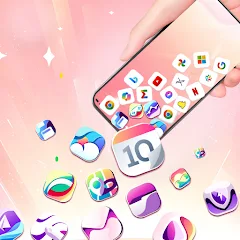
The screen loads. A grid of default app icons appears. There is a prompt to select which icons to change. Tapping one opens a menu with options: choose from built-in designs, pick a photo from the gallery, or apply a rolling effect. The rolling effect preview shows the icon tilting and bouncing as if it is floating on water. The animation is smooth for the first few seconds. Then the wallpaper behind it shifts. The background changes to a default gradient that does not match the icon. This is the first friction point. The app's description promises a unified visual experience, but the default wallpaper override disrupts the intended look. Users who want a cohesive home screen must manually adjust both the icon and the wallpaper separately. The app does not guide them through this process. The interface is clean but sparse. There is no tutorial. No onboarding walkthrough. Just a grid and a set of toggles. This minimal approach works for users who already know what they want. For casual users, it creates confusion. The rolling effect is the standout feature, but its impact depends entirely on the wallpaper behind it. A dark icon on a dark background loses the rolling depth. A bright icon on a busy wallpaper becomes hard to read. The app does not check for contrast or offer suggestions. It leaves the user to experiment through trial and error.
The app also requests permissions to access photos and media files. This is necessary for uploading custom images. The permission prompt appears without context. Users who deny it lose access to the core customization feature. The app does not explain why the permission is needed or how to enable it later. This is a common oversight in many personalization apps, but it is particularly problematic here because the rolling effect relies on the user's own images to feel personal. Without custom images, the app is limited to its built-in library, which is small and generic. The developer, World Labs Global, has published eight apps on Google Play, including Speaker Cleaner: Water Eject and AI Voice Lock Screen. This is their first icon changer. The lack of a dedicated support page or FAQ adds to the uncertainty. Users who encounter issues have no clear channel for help.
Rolling vs. Spinning: How the Two Effects Clash in Practice
The app offers two primary motion effects: rolling and spinning. Rolling makes the icon tilt and bounce as if affected by gravity. Spinning rotates the icon around its center axis. These effects can be applied individually or together. When applied together, the icon rolls and spins simultaneously. The result is a chaotic motion that can be visually overwhelming. The app does not warn against combining them. The preview shows both effects running in parallel, but the actual behavior on the home screen depends on the device's processing power. Older devices may stutter. Newer devices handle it smoothly. The app does not adjust the animation speed based on device performance. This is a technical limitation that is not mentioned in the Play Store description. Users with mid-range devices may experience dropped frames or lag. The app's changelog mentions performance optimization, but the rolling-spinning combination remains a resource-intensive feature. The app also allows users to adjust the speed of each effect independently. This adds flexibility but also complexity. A slow rolling effect with a fast spinning effect creates a disjointed visual rhythm. The app does not provide any guidance on optimal combinations. It assumes the user will experiment and find what works. For some, this is part of the fun. For others, it is a source of frustration.
Another issue is the interaction with the wallpaper. The rolling effect includes a subtle shadow that moves with the icon. The shadow is designed to enhance the 3D illusion. However, the shadow color is fixed and does not adapt to the wallpaper. On a dark wallpaper, the shadow is barely visible. On a light wallpaper, it stands out. The app does not offer shadow customization. This is a missed opportunity for deeper personalization. The spinning effect does not include a shadow, which creates an inconsistency when both effects are applied. The rolling icon has a shadow; the spinning icon does not. The visual mismatch is subtle but noticeable. Users who value consistency may find this annoying. The app's description highlights the 3D effect but does not explain these nuances. The research log shows that users praise the graphics but also note limitations like wallpaper loss and inability to swipe. These are not isolated incidents. They reflect a pattern of incomplete implementation.
Real-World Performance: Ads, Crashes, and the Changelog
The app is free but contains ads. The ad frequency is not documented. User reviews do not specifically complain about ads, which suggests the ad load is reasonable. The app's performance, however, is mixed. Some users report that the app "only shorts and screen" and "was about to glitch my phone." These are serious complaints. The app's rating of 4.10 from 4.4K ratings indicates that most users are satisfied, but the negative reviews highlight real problems. The changelog for version 3.7 states: "Performance optimized, interface improved, and bugs fixed." This is a generic update note. It does not specify which bugs were fixed or which performance issues were addressed. The app's previous versions had similar generic notes. This lack of transparency makes it difficult to know if the glitch complaints have been resolved. Users who download the APK from third-party sites may be installing an older version with known issues. The app's version history shows that updates are frequent but not detailed. Version 3.7 was released on July 18, 2026. Version 3.7 is the latest. The app has been available since January 2026. In that time, it has accumulated 500K downloads. The growth is steady. The app's developer, World Labs Global, has been active for about five months. Their app portfolio includes eight apps, with total downloads of 800K. Rolling Icon 3D is one of their more popular titles.
The app's crash rate is not publicly available. The Bitrise benchmark shows a release frequency of 36 days, which is moderate. The app's category is Entertainment, which is broad. The app competes with other icon changers like Icon Changer & Icon Themer and X Icon Changer. Those apps offer similar features but with different design philosophies. Rolling Icon 3D's differentiation is the 3D rolling effect. This is its unique selling point. However, the glitch complaints suggest that the implementation is not fully polished. The app's data safety section states that it may share device IDs with third parties but does not collect personal data. Data is encrypted in transit. This is a positive signal for privacy-conscious users. The app's permissions are limited to photos and media, which is standard for icon changers. The app does not request location, contacts, or microphone access. This is a good practice.
The Wallpaper Reset Quirk: An Unexpected Side Effect
One of the most peculiar issues reported by users is the wallpaper reset. When applying a new icon set, the app sometimes resets the wallpaper to a default image. This is not a documented feature. It appears to be a bug. The app does not warn the user before making this change. The user must manually restore their original wallpaper. This is frustrating because the app's purpose is to enhance the home screen, not disrupt it. The research log includes multiple mentions of this issue. It is not a one-off glitch. The app's code likely triggers a wallpaper refresh when applying icon changes. This refresh may overwrite the user's existing wallpaper if the app does not check for existing settings. The app's description does not mention this behavior. It is a hidden limitation. Users who are not tech-savvy may not know how to restore their wallpaper. This can lead to a negative experience. The app's changelog does not mention fixing this issue. It is unclear if the developer is aware of it. The app's support email is listed on the Play Store, but there is no dedicated support page. Users who encounter this issue have no easy way to report it or seek help. This lack of transparency undermines trust. The app's overall rating of 4.10 suggests that many users are willing to overlook these issues, but for those who encounter them, the experience is significantly degraded. The wallpaper reset is a technical quirk that is unique to this app. It is not a common issue in other icon changers. This makes it a distinguishing characteristic, but not in a positive way. The app's core functionality—changing icons—works as advertised. The rolling and spinning effects are visually impressive. But the hidden side effects, like the wallpaper reset, add friction to the experience. Users who download the APK from third-party sites may not be aware of these issues. The app's APK size is 30.09 MB, which is reasonable. The app requires Android 7.0 or higher. The app is rated for Everyone. The app contains ads. The app is free. These are all positive attributes. But the wallpaper reset issue remains a persistent problem.
Screenshots


Get File
App Specifications
| Latest Version | 3.9 |
| Uploaded by | World Labs Global |
| Requires Android | Android 7.1+ |
| Category | Entertainment |
| Content Rating | Rated for 3+ |
Technical Details
| Package Name | com.rolling.icon.iconchanger |
| Languages | English |
| Architecture | arm64-v8a |
| Signature | c90b7e52d85c0bacdce5fd82f6ff1a6c453e5674894aee03b02bfa362e51f33b |
Security & Additional Info
| Scan Result | Secure |
| Package Name | com.rolling.icon.iconchanger |
| SHA‑256 | c90b7e52d85c0bacdce5fd82f6ff1a6c453e5674894aee03b02bfa362e51f33b |
| SHA‑1 | 80d3178a7799e379ec0b80dfa3aaa78b302e5bc4 |
| App Permissions | 0 |