About Smart Qibla Finder Compass

The compass screen and what it shows
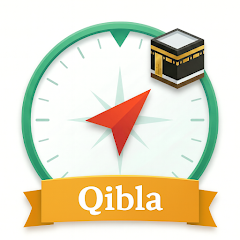
Opening the app presents a compass dial with a prominent arrow pointing toward Mecca. The interface is minimal — a circular compass, a degree indicator, and a small map overlay showing your current location and the Kaaba's position. There is no splash screen, no tutorial, and no permission request at first launch. The app immediately activates the GPS and magnetic sensors. Within seconds, the arrow stabilizes. A text label at the bottom displays the current direction in degrees and the approximate distance to Mecca. The app does not ask for storage permission until you try to save a location or access the Quran section. This is a deliberate design choice. It gets you to the core function — finding Qibla — as fast as possible. For a user in Casablanca or Jakarta, the experience is identical: open, calibrate, and pray.
The compass uses both GPS and the device's magnetometer. GPS provides your geographic coordinates. The magnetometer determines which way the phone is pointing. The app calculates the great-circle direction to the Kaaba and overlays that on the compass. This is standard for Qibla apps, but the execution here has a catch. The app's accuracy depends entirely on the device's sensor quality and calibration. Cheap or uncalibrated sensors produce erratic readings. The app includes a note: "place your phone on a flat surface away from metal objects for better accuracy." This is not optional. If you hold the phone at an angle or near a magnetic field, the arrow swings wildly. The app does not provide a calibration tool or a visual guide to help you level the device. You have to figure that out yourself.
How the compass and GPS work together in practice
The GPS and compass features are linked but not integrated. The GPS determines your location. The compass determines your orientation. The app combines these to show the direction. However, the GPS update frequency is slow — about once every 5 seconds. The compass updates in real-time. This means if you move, the arrow may point in the wrong direction for a few seconds until the GPS catches up. This is a common limitation in Qibla apps, but it is more noticeable here because the app does not show a "GPS acquiring" status. You are left guessing whether the reading is accurate. The map view attempts to address this. It shows a blue line from your location to Mecca, with a directional arrow. This provides a visual check. If the compass arrow and the map arrow disagree, the map is usually correct. The map uses Google Maps data, which is reliable. The compass, however, is only as good as your device's sensors. For a user with a high-end phone, the compass is accurate within 2-3 degrees. For a budget phone, the error can be 10-15 degrees. That is a significant difference for prayer direction.
The app includes a "calibration" reminder in the settings, but it is just a text note. There is no interactive calibration process. This is a missed opportunity. Many users do not know how to calibrate their phone's compass. The app could have included a figure-eight motion guide, but it does not. This lack of guidance is a recurring theme. The app provides the tools but assumes you already know how to use them. For a tech-savvy user, this is fine. For a casual user, it is frustrating. Several reviews on Chrome-stats mention that the compass "always shows the wrong direction" or "does not work." These complaints likely stem from improper calibration rather than a bug in the app. The developer acknowledges this indirectly in the changelog, which mentions "Fixed qibla accuracy issues in some devices." This suggests that some devices have known sensor problems, and the developer has tried to compensate with software fixes. The effectiveness of these fixes is unclear.
What the changelog actually tells you
The version history for Smart Qibla Finder Compass is sparse. The latest changelog, as seen on the Play Store, lists three items: "Fixed qibla accuracy issues in some devices," "Updated UI for a smoother experience," and "General performance improvements." These are standard phrases. They do not specify which devices were affected, what UI elements changed, or what performance improvements were made. The previous version, 07.18.22, was released in August 2022. The current version, 01.26.31, was released in June 2026. That is a gap of nearly four years. During that time, the app received multiple updates, but the changelog does not reflect them. This lack of transparency is common among small developers, but it is still a concern. Users have no way of knowing if a specific bug they encountered has been fixed. The developer, Assraab Abdelwahed, has a portfolio of similar apps, including "Qibla Locator Kaaba Direction" and "Prayer Times - Qibla & Azan." These apps share similar codebases and features. The lack of detailed changelogs across all these apps suggests a pattern of minimal documentation.
The app's data safety section claims that no data is shared with third parties and no data is collected. Data is encrypted in transit, and data cannot be deleted — presumably because there is no user data to delete. These privacy claims are straightforward and reassuring. However, they also highlight the app's simplicity. It does not store anything about you, which means it cannot offer personalized recommendations or track your progress. The trade-off is clear: privacy in exchange for functionality. The app also requests storage permission, but it is not clear what data is stored. The description mentions a history feature, but there is no visible history interface. This suggests that the history feature might be limited or not fully implemented. The permission is also used for sharing translated text to WhatsApp or Facebook Messenger. This feature works by copying the text to the clipboard and opening the respective app. This does not require storage permission, but the app still requests it. This is a common practice, but it is worth noting.
The permission request that does not make sense
The app requests storage access. The stated reason is to save translation history. However, there is no history tab, no list of saved translations, and no obvious way to view past entries. This raises a question: is the app actually saving anything? If it is, where is it stored? The data safety section says data cannot be deleted, which implies that once saved, the history remains on the device indefinitely. This could be a privacy concern if the device is shared or if the user sells the device. The app does not offer an option to clear history. This is a significant limitation. For a user who translates sensitive information, this lack of control is unacceptable. The permission is also used for sharing text to WhatsApp and Facebook Messenger. This feature works by copying the text to the clipboard and opening the respective app. This does not require storage permission, but the app still requests it. This suggests that the permission is primarily for the history feature, which is not well-documented. The developer's address in Meknes, Morocco, does not provide any additional reassurance. The app is a tool, but its data practices are opaque.
Screenshots


Get File
App Specifications
| Latest Version | 01.26.31 |
| Uploaded by | Assraab Abdelwahed |
| Requires Android | Android 7.0+ |
| Category | Lifestyle |
| Content Rating | Rated for 3+ |
Technical Details
| Package Name | com.trg.qibla |
| Languages | English |
| Architecture | arm64-v8a |
| Signature | 66cc6f042874a19ab6423ced3cca1fb490cf52c8c402df7862f19ca7492d5b59 |
Security & Additional Info
| Scan Result | Secure |
| Package Name | com.trg.qibla |
| SHA‑256 | 66cc6f042874a19ab6423ced3cca1fb490cf52c8c402df7862f19ca7492d5b59 |
| SHA‑1 | 357938e6853fdc59fef699b22c73d940408ef5b1 |
| App Permissions | 0 |