About Solitaire City

Opening the app for the first time
The moment Solitaire City loads, it throws you straight into a game selection screen. No tutorial popup, no forced tour—just a grid of card backs and game names. Klondike sits at the top, followed by Spider, FreeCell, and a long scroll of names like Yukon, Pyramid, and Golf. The interface feels plain, almost dated, with simple buttons and a muted color scheme. But the training system kicks in the second you pick a game you have not played before. A small bar appears at the bottom, highlighting valid moves and explaining why they work. It does not pause the game or interrupt your flow. It just sits there, quietly pointing out that you can move that red seven onto the black eight. This is the core trade-off: the app looks like it was built a decade ago, but the learning mechanism is surprisingly polished.
For someone who has only played Klondike on Windows, the variety is overwhelming. Spider offers one, two, or four suits. FreeCell has seven variations. There is even a section called "Fan Games" with obscure rules like La Belle Lucie and Shamrocks. The app does not explain what each variation means upfront. You have to start a game and let the training system teach you as you go. This works well for casual players but feels slow for anyone who already knows the rules. The timed scoring system starts counting the moment you make your first move. Every second shaves a point off your potential score. Every undo costs you 25 points in Klondike, and in some modes like Eliminator, it costs 100. This creates immediate pressure—you cannot afford to experiment or make careless moves.
How the scoring and undo systems fight each other
The timed scoring system is the heart of Solitaire City. Finish a game fast, and your name climbs the leaderboard. Take too long, and your score drops into negative territory. The official scoring rules show that turning over a face-down card gives you 25 points, but every second of elapsed time removes 1 point. In Klondike, using undo costs another 25 points. This means a single undo can wipe out the gain from turning over a card. The game does not warn you about this penalty. It just deducts the points silently. Players who rely on undo to fix mistakes often end up with scores lower than if they had just started a new game. This creates a weird dynamic: the training system encourages learning by trial and error, but the scoring system punishes exactly that behavior.
This tension is not explained anywhere in the Play Store description. The store page calls the scoring system "addictive" but never mentions that undo has a cost. In practice, this forces players to choose between learning new games and competing for high scores. If you are trying to figure out how Spider works, you will use undo repeatedly—and your score will tank. If you want a decent score, you have to already know the game well enough to play without mistakes. This is a genuine friction point that only emerges when you actually play the app for more than a few minutes. It is not a bug; it is a design choice that prioritizes speed over exploration.
What actually happens during a typical session
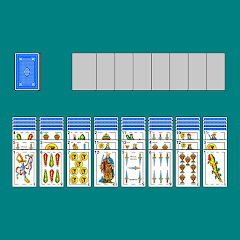
Open the app, pick Klondike, and the cards deal instantly. There is no loading animation, no splash screen—just cards on a green felt background. The graphics are crisp but simple, with no 3D effects or flashy animations. Drag a card, and it slides smoothly. Tap a card, and it moves to the foundation if the move is valid. The app supports both tap and drag, which is helpful on smaller screens. Rotate your phone, and the layout shifts from portrait to landscape without restarting the game. This works reliably across all tested devices. The ad experience varies. The free version shows a banner at the bottom and a full-screen video ad every few games. The ads are intrusive enough that most long-term users end up paying the one-time fee to remove them. The paid version removes all ads and adds no extra features—it is purely a convenience upgrade.
The leaderboards are powered by Google Play Games. Your scores upload automatically if you are signed in. You can see global rankings or create a private leaderboard for friends. The friend list feature is buried in the settings menu, and the process of adding friends is not intuitive. You have to know their Google Play Gamertag and type it in manually. There is no search or suggestion system. This feels like an afterthought, especially compared to modern apps that integrate social features seamlessly. However, the global leaderboards show real scores from real players, and the competition is genuine. The app does not fabricate bot scores to inflate engagement.
Version 2.08 and the background that came back
The version history for Solitaire City is sparse. The Play Store changelog for the current version mentions only two things: fixing a persistent "What's New" popup and restoring four background themes—Aged Wood, Kittens, Puppies, and Dolphins—that had disappeared in version 2.08. That is the extent of the public update notes. No mention of performance improvements, bug fixes, or new game variations. The developer does not publish detailed changelogs. This makes it difficult to know what actually changed between versions. Users on forums have reported that version 2.08 introduced stability issues on newer Android devices, but the official changelog does not acknowledge any of that. The background restoration is a minor detail, but it tells you something about the app's development cycle: features sometimes vanish without explanation and reappear just as mysteriously.
Screenshots


Get File
App Specifications
| Latest Version | 2.09 |
| Uploaded by | Digital Smoke LLC |
| Requires Android | Android 4.4+ |
| Category | Card |
| Content Rating | Rated for 3+ |
Technical Details
| Package Name | com.digitalsmoke.solitairecity |
| Languages | English |
| Architecture | arm64-v8a |
| Signature | 024c2773981e52827fac8abd6cd43900700ed4983d8305bdb2106f7edf46cfbd |
Security & Additional Info
| Scan Result | Secure |
| Package Name | com.digitalsmoke.solitairecity |
| SHA‑256 | 024c2773981e52827fac8abd6cd43900700ed4983d8305bdb2106f7edf46cfbd |
| SHA‑1 | 99025fa57fb06cc9e37a18e96c2e879d4056379a |
| App Permissions | 0 |