About Zoho Lens

The moment a support agent initiates a session, the customer receives a link. No account creation is required on the customer's side. They simply tap the link, enter their name, and the session key if needed, and the live video feed from their smartphone camera appears on the agent's screen. This is the core of Zoho Lens: a direct visual connection between an expert and someone in the field who needs help. The agent can see exactly what the customer sees, whether it's a malfunctioning piece of equipment, a complex assembly, or a damaged part. There is no need for lengthy descriptions or guesswork. The visual evidence is right there. The agent can then draw arrows, highlight areas, or even measure objects in real-time using the AR tools. This transforms a traditional support call into a guided, interactive experience. For businesses that rely on field service, this is a significant shift from phone-based troubleshooting to visual, step-by-step assistance.
The app is a mobile extension of the Zoho Lens web platform, meaning it is designed for seamless integration. A technician can start a session from their browser and the customer joins via the app. The session includes HD video and audio, so communication is clear. The agent can freeze the video stream to examine a specific detail, take screenshots for documentation, or record the entire session for training and compliance purposes. These features are not just add-ons; they are integral to the workflow. The ability to record sessions and store them in the cloud creates a valuable knowledge base that can be referenced later. The app also supports smart glasses, which allows field technicians to receive guidance hands-free while they work. This is particularly useful in industrial settings where both hands are needed for the task at hand. The offline recording feature ensures that even without an internet connection, a technician can capture video and observations, which can be uploaded later when connectivity is restored.
The Reality of Onboarding and Setup
The onboarding process is straightforward but requires a Zoho account. The app itself is free to download, but its full functionality is locked behind a subscription. New users get a 14-day free trial, which provides access to all premium features, including AR annotations, measurements, and session recording. This trial period is crucial for evaluating the tool's fit for an organization. Once the trial ends, organizations must choose between the Standard and Professional plans. The Standard plan includes features like freeze camera stream, schedule session, and basic analytics, while the Professional plan adds session recording, advanced analytics, and rebranding capabilities. The pricing is per technician, starting at US$8.99 per month for the Standard plan and US$14.99 per month for the Professional plan. This per-seat model means costs scale with the size of the support team. For small teams, this can be affordable, but for large enterprises, the cost can add up quickly. The app does not require any complex installation on the customer's side; they simply join via a browser or the mobile app, which lowers the barrier to entry.
The Synergy of AR Annotation and Live Video: A Workflow Analysis
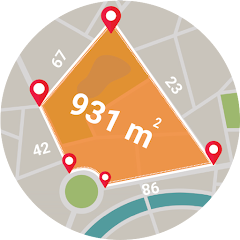
The most compelling aspect of Zoho Lens is not any single feature, but how the AR annotation and measurement tools interact with the live video stream. When a customer points their camera at a piece of equipment, the agent can see the live feed and immediately draw an arrow pointing to a specific component. They can then use the AR measurement tool to measure the distance between two points on that component, providing precise dimensions for replacement parts or adjustments. This workflow is seamless: the agent does not need to switch between different tools or apps. Everything happens within the same session. The annotations are not just static drawings; they are anchored to the real world using AR technology, so they stay in place even if the customer moves the camera. This combination of live video, precise annotation, and real-time measurement allows for a level of detail that traditional support methods cannot match. It transforms a remote session into a virtual site visit, where the agent can practically guide the customer's hands through the repair process. The integration of OCR and QR code scanning further enhances this, allowing the agent to scan labels or barcodes on the equipment to instantly access relevant information without interrupting the session.
However, this synergy also reveals a limitation. The app's AR capabilities are dependent on the quality of the customer's camera and the lighting conditions. In low-light environments, the AR annotations may not be as clear, and the measurement tool may be less accurate. The flashlight control feature helps mitigate this, but it is not a complete solution. Additionally, the app's performance is tied to the stability of the internet connection. While the system is reported to be stable even with less-than-perfect connectivity, occasional glitches can disrupt the flow of a session. These issues are not unique to Zoho Lens; they are inherent to any AR-based remote support tool. The key is whether the benefits outweigh these occasional inconveniences. For many users, the ability to visually guide a customer through a complex repair without being physically present is a game-changer that justifies the occasional hiccup.
Real-World Performance: Stability, Bugs, and the User Experience
The app's performance has been praised for its reliability. Reviews consistently highlight the stable video quality and minimal lag, even under less-than-ideal network conditions. This is critical for remote support, where delays or pixelated video can make it difficult to diagnose a problem. The interface is described as intuitive and easy to navigate, both for the agent and the customer. The customer console provides a simple toolbar with essential functions like flashlight control and camera switching, which keeps the experience straightforward. However, some users have reported occasional connectivity glitches and interface issues that can slow things down. These are not widespread, but they are worth noting. The developer regularly releases updates with bug fixes and performance enhancements, as seen in the latest changelog. The app also includes features like session notes and action logs, which help technicians keep track of what was done during a session. These tools are useful for documentation and follow-up. The app's data security is also a strength, with all transmissions taking place through SSL/256-bit AES encryption, the same standard used in online banking. This is particularly important for organizations handling sensitive customer data.
Despite its strengths, the app is not without its quirks. Some users have reported that the login process can be finicky, and there have been instances of permission bugs that required reinstallation. These issues are typically resolved in updates, but they can be frustrating for users who rely on the app for their daily work. The app's reliance on a subscription model means that organizations must budget for ongoing costs, which may be a barrier for smaller businesses. The free version offers limited functionality, so the trial period is essential for testing the full capabilities. Overall, the app delivers on its core promise of providing effective remote visual support, but it is not perfect. The combination of powerful AR features and a stable platform makes it a strong contender in the remote assistance space, but potential users should be aware of the occasional technical hiccups and the ongoing subscription costs.
Technical Details: Permissions, Platform Requirements, and the Free Trial
The app requires Android 6.0 or higher, which covers a wide range of devices. The APK size varies depending on the version, ranging from around 21 MB to 40 MB. The app requests standard permissions for a communication tool, including access to the camera, microphone, and storage. These are necessary for the core functionality of live video streaming, voice communication, and file sharing. The app also requires location permissions for the location sharing feature. The app's privacy policy states that data is encrypted in transit and that users can request to have their data deleted. The app offers a 14-day free trial that includes access to all premium features, including AR annotations, AR measurements, and session recording. This trial is a key part of the onboarding process, allowing organizations to evaluate the tool before committing to a paid plan. The paid plans are available on a monthly or yearly basis, with volume discounts available for larger teams. The pricing is transparent, with the Standard plan starting at US$8.99 per month and the Professional plan at US$14.99 per month. The app also supports in-app purchases for additional storage and features. The app is available in multiple languages, including English, Spanish, French, German, Italian, Japanese, Korean, and Simplified Chinese, making it accessible to a global audience. The combination of a free trial, transparent pricing, and a robust feature set makes Zoho Lens a compelling option for businesses looking to implement AR-based remote support.
Screenshots


Get File
App Specifications
| Latest Version | 3.3.1 |
| Uploaded by | Zoho Corporation |
| Requires Android | Android 6.0+ |
| Category | Productivity |
| Content Rating | Rated for 3+ |
Technical Details
| Package Name | com.zoho.lens.customer |
| Languages | English |
| Architecture | arm64-v8a |
| Signature | d52d21ffcee0ed599a5f35a706268838206fcb66a5a78ff5b1825518226036b6 |
Security & Additional Info
| Scan Result | Secure |
| Package Name | com.zoho.lens.customer |
| SHA‑256 | d52d21ffcee0ed599a5f35a706268838206fcb66a5a78ff5b1825518226036b6 |
| SHA‑1 | 77f1fc9191e3f7372760ebadd413eaaee99bd2d0 |
| App Permissions | 0 |