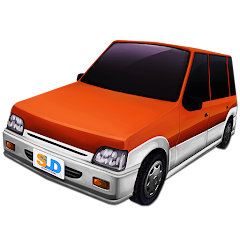
About Dr. Driving

Opening the App: The First Few Seconds
The loading screen appears with the SUD Inc. logo, and within a couple of seconds, the main menu pops up. There is no long tutorial video or forced walkthrough. The main menu shows a few big buttons: Single Player, Online Match, Friend Battle, and Settings. A small notification at the top prompts you to sign in with your Google account. This is not mandatory for single-player, but without it, leaderboards and online multiplayer remain locked. The game wastes no time. It drops you straight into the action. The first time you tap Single Player, the screen shifts to a city view with a car parked on a street. A small mission box appears: "Park the car in the designated spot within 30 seconds." That is it. No hand-holding. No lengthy explanation of controls. The steering wheel is on the right side by default, but you can flip it to the left in settings. The gas pedal is on the right, brake on the left. The car responds immediately to your inputs. The engine revs, the tires squeak, and you are off.
The onboarding is minimal, almost to a fault. The game assumes you have played a driving game before. There is no practice mode. The first mission is a parking challenge, and it is surprisingly strict. The parking spot is narrow, and the time limit is tight. You learn quickly that the steering is sensitive. A slight turn sends the car veering. The brake does not stop the car instantly; there is a small delay that mimics real inertia. Many players fail the first mission several times. The game does not penalize failure heavily. You just retry. But the repetition sets in early. Each failed attempt gives you a chance to understand the physics a little better. The car does not handle like an arcade racer. It feels heavier. The steering wheel auto-centers, which adds to the realism. This is not a game where you hold the wheel at an angle and the car turns indefinitely. You have to actively steer, and the wheel returns to center when you let go. That single detail changes everything. It forces you to plan your turns, not just react.
How Fuel and Parking Missions Work Together
The fuel system is one of the more interesting mechanics in the game. Each mission consumes a certain amount of fuel based on distance and driving behavior. Hard acceleration burns more fuel. Sharp braking also wastes fuel. The fuel gauge is visible at the top of the screen, and it depletes in real time. The parking missions require precise control—slow, measured movements to fit the car into a tight space. But the fuel system pushes you to be efficient. You cannot afford to waste fuel by overshooting the parking spot and reversing multiple times. That would consume extra fuel and potentially leave you stranded before the mission ends. This creates a real tension. You want to park quickly to save fuel, but parking quickly increases the chance of hitting the curb or another car, which fails the mission. The optimal strategy is to approach the spot at a moderate speed, align the car in one smooth motion, and brake gently at the right moment. It sounds simple, but the sensitive steering and the inertia make it challenging. The game does not explain this balance. You discover it through repeated failures. The fuel system is not just a cosmetic feature. It fundamentally changes how you approach each mission. In other driving games, fuel is either infinite or a minor inconvenience. Here, it is a core constraint that forces you to drive more carefully. The same fuel system applies to highway missions, where you need to maintain a certain speed without crashing into other cars. Speeding consumes more fuel, but going too slow makes you a hazard. The game rewards smooth, controlled driving over reckless speed. This is a rare design choice in mobile driving games, which usually prioritize speed and stunts.
Real-World Performance: Ads, Crashes, and the Occasional Smooth Run
The game runs smoothly on most modern devices. The frame rate is stable, and the controls remain responsive. However, the experience is interrupted by ads. After every two or three missions, a video ad plays. You can skip it after five seconds, but the interruption breaks the flow. The ads are for other games, mostly from the same developer or similar studios. There is no option to pay to remove ads permanently. You can watch additional ads to earn coins and gold, which are the in-game currencies. Coins are used to buy new cars. Gold is used for premium upgrades and rare vehicles. The earning rate from missions is slow. A typical mission rewards 10 to 20 coins. A new car costs anywhere from 500 to 2000 coins. This means you either grind for hours or watch ads to speed up the process. The gold is even harder to obtain. You get a small amount for completing missions perfectly, but the bulk comes from ads or in-app purchases. Some players have reported crashes on older devices, especially during online multiplayer matches. The game uses Google Play Games services for multiplayer, and if your connection is unstable, the match can lag or disconnect. The single-player mode is more stable. Occasional bugs include the car getting stuck in the environment or the mission not registering completion. These are not common, but they happen. The game does not have a robust error-handling system. When a crash occurs, the app closes without a warning. You lose any progress made in that session. The developer, SUD Inc., has not published detailed patch notes, so it is unclear which bugs have been fixed in recent updates. The lack of transparency is frustrating for long-time players. Despite these issues, the core gameplay remains enjoyable. The physics engine is reliable, and the missions are varied enough to keep you engaged for short sessions.
The Storage Permission and What It Actually Does
The app requests permission to access storage on your device. This is not for saving game data—that is handled by Google Play Games. The storage permission is used for caching game assets, such as car models and city textures. The game downloads additional data after installation, and this data is stored in the device's internal storage. The total size is around 15 MB initially, but it can grow to 30 MB or more as you unlock new cars and levels. The permission also allows the game to save screenshots if you use the in-game screenshot feature. The app does not access your photos or files beyond its own folder. The permission is standard for games that cache assets locally. However, some users are uncomfortable with the request, especially since the game does not explain why it needs the permission. The app also requests location permission, which is used for targeted ads and regional content. You can deny location permission and the game still works. The storage permission, though, is required for the game to function properly. Without it, the game may fail to load certain assets or crash during missions. This is a technical detail that many users overlook. They grant the permission without reading the prompt, and the game runs fine. But if you deny it, the game becomes unstable. The permission is not used for anything malicious. It is purely for caching. The app does not upload your files anywhere. It does not have background access to storage when the app is closed. The permission is only active while the game is running. This is a common practice among mobile games, but Dr. Driving does not communicate it well. The permission screen shows a generic message that does not clarify the purpose. This lack of transparency is a recurring theme with the app. The developer has not provided detailed privacy documentation beyond the basic Play Store data safety section. The storage permission is a necessary evil for the game to work, but the way it is handled leaves room for improvement.
Screenshots


Get File
App Specifications
| Latest Version | 1.73 |
| Uploaded by | SUD Inc. |
| Requires Android | Android 6.0+ |
| Category | Racing |
| Content Rating | Rated for 12+ |
Technical Details
| Package Name | com.ansangha.drdriving |
| Languages | English |
| Architecture | arm64-v8a |
| Signature | a837abb825f9f8d5bbaba3633273bc3a6ae4315eebd6c2a7a6369cf3f5a2256c |
Security & Additional Info
| Scan Result | Secure |
| Package Name | com.ansangha.drdriving |
| SHA‑256 | a837abb825f9f8d5bbaba3633273bc3a6ae4315eebd6c2a7a6369cf3f5a2256c |
| SHA‑1 | 75214df00506aa010dc1f618abc39233a0e3ee54 |
| App Permissions | 0 |