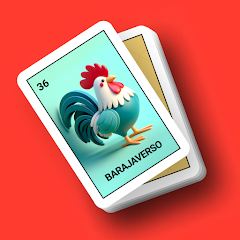
About Loteria Mexicana: Barajaverso®

Setting Up the Lotería Caller
Opening the app for the first time presents a clean interface with a large play button at the center. The screen shows the current deck of cards, a timer display, and a history log at the bottom. Tapping the play button triggers an automatic shuffle, and within a second, the first card is called out. The voice that announces the card is clear and loud, and it can be changed to one of several celebrity impressions including Homer Simpson, Tony Stark, or Darth Vader. The timer, which defaults to five seconds between cards, can be adjusted anywhere from one to twenty seconds using a simple slider. This sets the pace of the entire game, making it possible to run a fast-paced round or a slow, drawn-out session depending on the crowd. The vibration toggle sits next to the timer, and when enabled, the phone buzzes with each new card draw, adding a tactile layer to the experience.
The called card history scrolls on the left side of the screen, showing every card that has been announced in the current session. This history is essential for resolving disputes when multiple players claim the same card. The app also includes a counter showing how many cards remain in the deck, so the host always knows when the game is approaching its end. The dark mode option, available in the settings menu, switches the interface to a low-light theme that reduces eye strain during evening gatherings. Connecting the phone to a Bluetooth speaker or TV sends the audio output to external speakers, making the voice announcements fill the room. The app runs entirely offline in the premium version, meaning no internet connection is required once the decks and voices are downloaded. This is a critical feature for parties in areas with spotty connectivity or for hosts who prefer not to rely on Wi-Fi.
The Barajaverso community section is accessible from the main menu. This is where users can browse and download decks created by other players. The decks range from traditional Mexican Lotería artwork to 3D animated versions and AI-generated designs. Each deck comes with a preview, and downloading one takes only a few seconds. The community also allows users to upload their own decks, turning the app into a platform for sharing custom card sets. This feature sets the app apart from basic caller apps, as it gives every game a unique visual identity. The ability to record custom voices and share them through the same community hub adds another layer of personalization. A host can record their own voice calling each card, or even recruit friends to record different cards, creating a multi-voice experience that keeps players engaged.
The Original Analysis – How Timer and Voice Interact
The timer setting and the custom voice recording feature are rarely discussed together, but they form the core of the app's practical utility. When the timer is set to a short interval, like three seconds, the voice announcements come rapidly, creating a high-energy atmosphere that works well for large groups or competitive players. The custom voice recording allows the host to match the pacing with their own speaking style, so the announcements feel natural rather than robotic. For example, a host can record longer pauses between cards by speaking slowly, effectively overriding the timer's rhythm with their own cadence. This combination is not explicitly explained in the Play Store description, but it becomes apparent after a few rounds of testing. The app's flexibility in this regard makes it suitable for both casual family games and more structured tournament-style events. The timer also interacts with the vibration feature, as the buzz provides a physical cue that a new card is about to be called, which is helpful in noisy environments where the voice might be drowned out. This multi-sensory approach to card calling is a practical advantage that emerges from using the features together, rather than in isolation.
Another interaction point is between the PDF table generator and the virtual card mode. The PDF generator allows the host to create and print physical cards for players who prefer paper, while the virtual mode lets players mark cards directly on their phones. During a game, the host can use the PDF generator to print extra tables for last-minute guests, and those guests can then switch to the virtual mode on their own devices if printing is not an option. This workflow is not documented in the app's description, but it solves a real problem that arises at parties when the number of players exceeds the number of printed tables. The app's design assumes that the host will choose one method or the other, but the reality is that hybrid setups are common, and the app accommodates them seamlessly. The virtual mode also includes a marking system that highlights called cards, so players can easily track their progress without needing to announce every card manually.
Real-World Performance and User Feedback
The app runs smoothly on most Android devices, with no noticeable lag during card shuffles or voice playback. The voice quality is consistent across different decks, and the celebrity impressions are recognizable without being cartoonish. However, some users have reported issues with the latest update, describing it as confusing and difficult to navigate. One review mentioned that the design change was "awful" and requested a return to the previous layout. Another complaint centered on the inability to custom-make labels for cards, which limits personalization for users who want to create themed decks for specific events. The lack of original art in some community decks has also been criticized, with users arguing that traditional designs are essential for an authentic Lotería experience. These complaints are balanced by positive feedback praising the app's ease of use, good animations, and innovative concept. The app's rating of 4.6 on the Play Store reflects this mixed reception, with satisfied users outnumbering critics but with enough negative feedback to indicate areas for improvement.
The offline mode works as advertised, allowing the app to function without an internet connection once the necessary decks and voices are downloaded. This is a significant advantage for users who plan to use the app in remote locations or during events where network coverage is unreliable. The app also includes a feature to reset downloaded deck texts, which helps when decks become corrupted or when users want to start fresh with a new set of cards. The visual improvements in recent updates have added subtle animations and background colors to the animated deck, making the interface more engaging. However, the update that introduced these changes also brought the confusing design elements that some users have criticized. The developer has acknowledged these complaints in the changelog, stating that reported errors have been corrected and thanking users for their feedback. This responsiveness suggests that future updates may address the usability concerns that have been raised.
Permissions, Privacy, and Technical Details
The app requests a range of permissions during installation, including access to vibration, audio recording, internet, network state, and notifications. The vibration permission is used for the haptic feedback during card calls, while the audio recording permission enables the custom voice recording feature. The internet and network state permissions are required for downloading decks and voices from the Barajaverso community, as well as for ad serving and analytics. The app also requests the BILLING permission for in-app purchases, which include premium features such as offline mode and additional deck options. The POST_NOTIFICATIONS permission is used to alert users about new decks and voices available in the community. The WAKE_LOCK permission prevents the device from sleeping during active gameplay, ensuring that the timer and voice announcements are not interrupted. The app's privacy policy indicates that data is encrypted in transit, and users can request that their data be deleted. However, the app does share some data with third parties, including app info, performance data, and device IDs. This is typical for free apps that rely on advertising and analytics, but users concerned about privacy should review the policy before installing.
The app requires Android 7.1 or higher, and the APK file size is approximately 44.4 MB. The architecture supported is arm64-v8a, which covers most modern Android devices. The app has been available on Google Play since August 2024, and the developer, Heddie Franco, is based in Monterrey, Mexico. The developer's other apps include a resistor calculator, indicating a diverse portfolio beyond gaming. The app's content rating is Everyone, with an alcohol reference tag, which is appropriate given the social context of Lotería games often held at parties and family gatherings. The app's install base has grown to over 100,000 downloads, with a rating of 4.49 based on more than 1,100 reviews on AppBrain. The iOS version has a higher rating of 4.84 but with only 19 reviews, suggesting a smaller but more satisfied user base on Apple's platform. The app is ranked #6 in the card category on Android, indicating strong performance relative to competitors.
Screenshots


Get File
App Specifications
| Latest Version | 1.4.4 |
| Uploaded by | HFranco |
| Requires Android | Android 7.1+ |
| Category | Card |
| Content Rating | Rated for 3+ |
Technical Details
| Package Name | dev.hfranco.barajaverso |
| Languages | English |
| Architecture | arm64-v8a |
| Signature | 19e4759f140bc3f2dcd675652f4bf5e7c9143cee93379ee2bea4ba5cd68a9f32 |
Security & Additional Info
| Scan Result | Secure |
| Package Name | dev.hfranco.barajaverso |
| SHA‑256 | 19e4759f140bc3f2dcd675652f4bf5e7c9143cee93379ee2bea4ba5cd68a9f32 |
| SHA‑1 | d1777c48408fa5adbbae849e36ce465089cdc0a9 |
| App Permissions | 0 |