About Transparent clock and weather

Opening the App and Setting Up the Widget
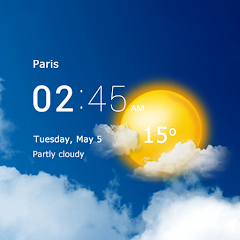
The app opens to a weather dashboard. Current temperature at the top. Humidity, wind speed, pressure below. A radar map sits in the middle. The layout is dense. Information is everywhere. The first task is not to read the data. It is to set up the widget. Tap the widget option. Choose a size. 2x1, 4x1, 4x2, 4x3, 5x2. Each size shows different information. The smallest shows just the temperature. The largest shows the full forecast. The customization options are extensive. Change the font. Change the color. Change the transparency. Change the background. The app gives you control. It also gives you choice paralysis. There are too many options. The default settings work for most users. But the app encourages tinkering. The widget is the core feature. It sits on the home screen. It updates automatically. It shows the time, the date, the weather. It is useful. It is also visually appealing. The transparent design is the selling point. It blends with the wallpaper. It does not block the background. It looks clean. It looks modern. The app has been around since 2012. It has evolved over time. The core concept remains the same.
The setup process is not smooth for everyone. One user reported: "During setting up, it asked for my city. I type in Peterborough and press OK and nothing happens. Tried London, nothing happens." The city search function fails for some users. The app does not provide an error message. It simply does nothing. The user is stuck. They cannot proceed. They uninstall the app. This is a critical flaw. The app relies on location data. If the location cannot be set, the app is useless. The developer has not fixed this issue. The complaints are recent. The app is updated regularly. But the core functionality remains broken for some users. The app's age is a factor. It has accumulated technical debt. The codebase is old. The fixes are incremental. The app works for most users. But for a significant minority, it does not.
Customization vs. Usability: The Font Size Problem
The customization options are extensive. Font size, color, transparency, background. The app allows users to adjust the font size. This is a useful feature for users with visual impairments. But the implementation is flawed. One user wrote: "did you try testing it with the larger font size?? it's impossible to read anything. seriously? you think I increased the font size to make your app look ugly? I did it in order to be able to read information from the screen." The app does not scale the widgets properly. Increasing the font size causes text to overlap. The widget becomes unreadable. The app's response is to advise reducing the font size. This is not a solution. It is a dismissal. The user is frustrated. The app's design prioritizes aesthetics over accessibility. The transparent widgets look good at default settings. They fall apart when customized. The app's promise of customization is not fully delivered. The options exist. But they are not tested. The user is left to experiment. The results are often disappointing.
The customization extends to the widget's transparency. Users can adjust the opacity. This is a popular feature. It allows the widget to blend with the wallpaper. The result is a clean, modern look. But the transparency can also reduce readability. The text becomes harder to see. The user has to balance aesthetics and functionality. The app does not provide guidance. It assumes the user knows what they are doing. The learning curve is steep. The app is not beginner-friendly. It is designed for power users. Users who want a simple weather widget may find the app overwhelming. The app's target audience is not clear. It appeals to both casual users and enthusiasts. The result is a product that satisfies neither group fully. The casual users are confused. The enthusiasts are frustrated by the limitations. The app's 13-year history is both a strength and a weakness. It has a loyal user base. It also has accumulated cruft.
The Ad Experience and the Premium Subscription
The app is free. It relies on ads for revenue. The ads are intrusive. They appear between screens. They interrupt the flow. They are spammy. One review described them as "intrusive, spammy ads that disrupt the experience." The app offers a premium subscription. It removes ads. It also adds features. Animated radar. Extended notifications. Hurricane tracking. Air quality. The subscription is a monthly fee. The price varies by region. In Kenya, it is Ksh 800.00 - Ksh 2,500.00 per item. In the US, it is likely a few dollars. The subscription is not cheap. For a weather app, it is expensive. Many users are unwilling to pay. They tolerate the ads. They complain about them. The developer's response is to offer the subscription. This is a common monetization strategy. It works for some apps. It creates friction for others. The app's ad revenue is significant. AppGoblin estimates $500K+ monthly revenue. 77% of that comes from ads. 23% comes from in-app purchases. The app is profitable. The ads are not going away. The user's choice is clear: tolerate the ads or pay for the subscription.
The premium features are appealing. Animated radar is a standout. It shows real-time weather movement. It is useful for tracking storms. The hurricane tracker is another premium feature. It shows active storms. It predicts their path. This is valuable for users in hurricane-prone areas. The air quality index is also premium. It shows pollution levels. This is important for users with respiratory issues. The premium features add value. They justify the subscription cost for some users. For others, they are not worth it. The app's free version is functional. It provides basic weather information. It is sufficient for most users. The premium version is for enthusiasts. The app's monetization strategy is clear. It targets power users. It offers them advanced features. The free users are the product. They generate ad revenue. The premium users are the customers. They pay for an enhanced experience. The app balances both groups. It is a sustainable business model.
Permissions, Trackers, and Privacy
The app requests a significant number of permissions. APKMirror lists 28 permissions for version 9.12.0. These include WAKE_LOCK, WRITE_EXTERNAL_STORAGE, and network access. The Exodus privacy report lists 11 trackers. These include advertisement, analytics, and crash reporting trackers. The app collects location data. It also collects app activity and other data. The data is shared with third parties. The app's data safety section states that data is encrypted in transit. It also states that data cannot be deleted. This is a privacy concern. Users cannot remove their data from the app's servers. The developer's privacy policy is not easily accessible. The app's data collection practices are not transparent. The user is left in the dark. The app's popularity is a factor. 67.8 million installs is a large user base. The data collected is substantial. The privacy implications are significant.
The app's use of trackers is typical for a free ad-supported app. The trackers are used for ad targeting and analytics. They are not malicious. But they are pervasive. The user has no control over them. The app does not offer an opt-out option. The only way to avoid trackers is to not use the app. The premium version removes ads. It does not remove trackers. The trackers are still present. They still collect data. The premium user is still tracked. This is a common practice. It is not unique to this app. But it is still a concern. The app's data collection is a trade-off. The user gets a free app. The developer gets data. The app's longevity is evidence of its success. Users are willing to make the trade-off. The app continues to grow. The user base continues to expand. The privacy concerns are not deterring users. The app's functionality outweighs the privacy risks for most users.
Screenshots


Get File
App Specifications
| Latest Version | 9.14.0 |
| Uploaded by | MACHAPP Software Ltd |
| Requires Android | Varies with device |
| Category | Weather |
| Content Rating | Rated for 3+ |
Technical Details
| Package Name | com.droid27.transparentclockweather |
| Languages | English |
| Architecture | arm64-v8a |
| Signature | 67b182a8ab3646f6da02ebb899e9ad28d7bfb6eab3f58a94f92bc4bf1fdff31e |
Security & Additional Info
| Scan Result | Secure |
| Package Name | com.droid27.transparentclockweather |
| SHA‑256 | 67b182a8ab3646f6da02ebb899e9ad28d7bfb6eab3f58a94f92bc4bf1fdff31e |
| SHA‑1 | bb6e654dda6a7b85d5bcf40738a61825cba00f6d |
| App Permissions | 0 |