About Weather Crave

The First Screen Shows a Map and a Comparison
Opening Weather Crave presents a clean map of France. The map is not cluttered. It shows temperature pins for major cities. Below the map, three weather models appear: METEO CONSULT, Météo-France, and NOAA. The app does not ask for location permission immediately. It waits until you tap the map. This is a small but important detail. The interface is functional but busy. There is a lot of information on one screen. The temperature, the forecast, the models, the map. It can be overwhelming. The app expects you to explore. You tap a city. A detailed forecast appears. It shows hourly, daily, and 15-day predictions. The design is practical. It is not beautiful. It is not minimal. It is information-dense. This is its strength. It gives you everything you need in one place. But it also makes it hard to find what you are looking for. The app does not have a tutorial. It does not explain the models. It assumes you know what they are. This is a common complaint. New users feel lost. They do not know which model to trust. They do not know how to interpret the data. The app is built for weather enthusiasts. It is not for casual users. That is a deliberate choice. It caters to a specific audience. That audience appreciates the depth. Casual users find it confusing.
The Weather Comparison Feature Turns Forecasting Into a Science
The weather comparison feature is the app's standout function. It shows three different forecast models on one screen. This is rare. Most weather apps show one model. Weather Crave shows three. This allows users to compare predictions. If all three models agree, the forecast is reliable. If they disagree, the forecast is uncertain. This is a powerful tool. It gives users insight into the confidence of the forecast. It is used by professional meteorologists. The app brings that expertise to the consumer. The models are from METEO CONSULT, Météo-France, and NOAA. Each has its own strengths. METEO CONSULT is a French independent provider. Météo-France is the national weather service. NOAA is the US agency. This combination is unique. It provides a global perspective. The comparison is updated in real-time. You can see the differences instantly. This is useful for planning. If you are planning a trip, you can see which model is more optimistic. You can make a better decision. The comparison feature is the app's core value. It is what sets it apart from competitors. But it also adds complexity. Users have to understand the models. They have to interpret the differences. This requires a learning curve. The app does not provide guidance. It assumes you are already knowledgeable. This is a barrier for new users. The feature is powerful but not accessible.
The Widget Is the App's Most Practical Feature
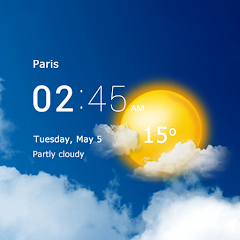
The widget is where Weather Crave shines in daily use. It sits on your home screen. It shows the current weather and a 6-hour forecast. It is resizable. You can make it as large or as small as you want. The widget updates in real-time. It uses geolocation to show your local weather. This is convenient. You do not need to open the app. You can glance at the widget and know what to expect. The widget is also customizable. You can choose what information to display. Temperature, rain probability, wind speed. You can pick what matters to you. The widget is the app's most practical feature. It integrates weather into your daily routine. It is subtle but effective. The latest update optimized the widget. It now uses less data. It loads faster. This is a significant improvement. The widget was already good. Now it is better. The optimization is a direct response to user feedback. Users complained about the widget's performance. The developer listened. They improved it. This is a positive sign. It shows the developer is responsive. The widget is the reason many users keep the app installed. It provides value without effort. It is the app's silent workhorse. The widget is not flashy. It is not a headline feature. But it is the most used feature. It is the feature that keeps users coming back.
The Ads Are Aggressive but Avoidable With a Subscription
The free version of Weather Crave includes ads. A banner ad sits at the bottom of the screen. A video ad plays automatically when you open the app. Sometimes a full-screen ad appears. The ads are not subtle. They are loud and intrusive. Some ads have deceptive close buttons. This is a common complaint. Users have reported this. The developer has acknowledged the issue. They offer a solution: the VIP subscription. The VIP subscription removes all ads. It costs money. The price is not listed in the Play Store. But it is likely a few dollars per month. This is a common monetization strategy. It works. Users who pay never see another ad. Those who do not pay have to tolerate the interruptions. The app does not force you to watch ads to continue. You can always decline. But the option to watch an ad for extra features is always there. This creates a clear divide between free users and paying users. Free users grind through ads. Paying users enjoy an ad-free experience. The app is upfront about this. It does not hide the cost. It gives you a choice. That honesty is refreshing. But the ads remain a major annoyance. The developer has promised improvements. But the current experience is still frustrating for free users. The VIP subscription is the only way to escape the ads. It is a fair trade-off. The app provides valuable data. The ads pay for that data. If you value an ad-free experience, you pay. If you do not, you tolerate the ads. It is a simple equation.
Screenshots


Get File
App Specifications
| Latest Version | 6.15.5 |
| Uploaded by | METEO CONSULT - La Chaîne Météo |
| Requires Android | Varies with device |
| Category | Weather |
| Content Rating | Rated for 3+ |
Technical Details
| Package Name | com.lachainemeteo.androidapp |
| Languages | English |
| Architecture | arm64-v8a |
| Signature | 4c818a4af424b843d61ad2fa84889ca8aa746415580c642fe0f619983f77b090 |
Security & Additional Info
| Scan Result | Secure |
| Package Name | com.lachainemeteo.androidapp |
| SHA‑256 | 4c818a4af424b843d61ad2fa84889ca8aa746415580c642fe0f619983f77b090 |
| SHA‑1 | c602db55c89d6107066a666ca212110afb6a471a |
| App Permissions | 0 |