About Indoor thermometer

Opening the App Shows a Number and a Location
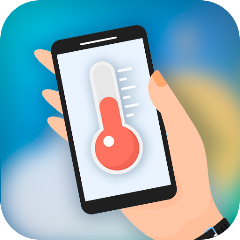
Opening Room Temperature presents a large number on the screen. It claims to be the current temperature. Below it, a location name appears. The interface is minimal. White background, bold digits, a small thermometer icon. No tutorial pops up. No explanation of how it works. The app expects you to trust the number. You tap the screen. The number changes. You tap again. It changes again. The app does not show a graph. It does not show a history. Just a number and a location. The app does not ask for location permission immediately. It waits until you tap the map icon. This is a small but important detail. The app relies on location to show outdoor temperature. It uses nearby weather stations. The indoor temperature comes from the phone's built-in sensor. The app does not explain this distinction. It does not tell you which number is indoor and which is outdoor. You have to figure it out. The interface is clean but confusing. It feels like a tool, not a finished product. There are no animations. No sound effects. Just a number and a location. The app is functional. It is not beautiful. It is not engaging. It is a thermometer. It does one thing. It does it poorly.
The Sensor Reading Is Unreliable Without a 10-Minute Wait
The app's indoor temperature reading comes from the phone's built-in sensor. That sensor is designed to measure the device's internal temperature, not the room. The app tries to compensate. It uses algorithms to estimate the ambient temperature. But the result is often wrong. The app itself warns you: "To get accurate results, leave your phone idle for about 5-10 minutes. Then it will give you the correct room temperature. When your phone is in use, the battery heats up, and the measured temperature will be higher than the actual temperature." This is a critical limitation. Most users will not wait 5-10 minutes. They will open the app, see a number, and assume it is accurate. They will not know that the number is likely wrong. This leads to complaints. Users report discrepancies of 3 to 10 degrees. Some users report even larger differences. The app does not calibrate. It does not ask you to set a reference point. It just guesses. The outdoor temperature is even more problematic. The app blends data from local weather stations. It uses AI to improve accuracy. But the AI is only as good as the data. If the weather station is far away, the reading is useless. The app does not show the source of the data. It does not tell you which weather station it used. It does not show the distance. This lack of transparency is a major flaw. Users are left guessing. They do not know if the temperature is from their backyard or a city 20 miles away. The app's description says it shows "room temperature and live outdoor conditions." That is misleading. It shows a blend of both, and the user cannot tell the difference.
The Ventilation and Dew Point Features Add New Layers
The latest update added ventilation and dew point. The changelog states: "Added ventilation and dew point, corrected translations, improved ad display logic." These are welcome additions. Ventilation refers to how well air moves in a space. Dew point indicates the temperature at which moisture condenses. Both are useful for understanding comfort and humidity. The app now shows these alongside the temperature. The interface remains minimal. The new numbers appear on the same screen. They are not explained. The app does not tell you what ventilation means. It does not tell you why dew point matters. It just shows the numbers. This is a missed opportunity. The app could educate users. It could explain the significance of these metrics. But it does not. The ventilation and dew point features are useful for advanced users. They add depth to the app. They make it more than just a thermometer. They turn it into a basic weather station. But the lack of explanation limits their value. Casual users will ignore them. They will not understand what the numbers mean. They will not know how to use them. The features are a step in the right direction. They show the developer is thinking about improving the app. But they need better integration. They need context. They need to be explained.
The Ads Are Aggressive and Deceptive
The free version of Room Temperature includes ads. A banner ad sits at the bottom of the screen. A full-screen video ad pops up periodically. Sometimes an ad auto-installs another app. This is a common complaint. Users have reported this. One reviewer wrote: "Deceptive installation of an additional weather app." Another said: "all ads. nothing happens." The ads are not subtle. They are loud and intrusive. Some ads have deceptive close buttons. This is a major annoyance. The app offers a way out: in-app purchases to remove ads. The price is not listed on the Play Store. But Sensor Tower shows in-app purchases. The ads are the app's primary monetization strategy. They are also its biggest weakness. The ads make the app hard to use. They interrupt the experience. They frustrate users. The developer has acknowledged the issue. The changelog mentions "improved ad display logic." This suggests they are trying to make ads less intrusive. But the improvement is not enough. Users continue to complain. The ads are aggressive and deceptive. They ruin the user experience.
Screenshots


Get File
App Specifications
| Latest Version | 3.0.13 |
| Uploaded by | Sweetvrn |
| Requires Android | Android 6.0+ |
| Category | Weather |
| Content Rating | Rated for 3+ |
Technical Details
| Package Name | com.sweetvrn.therm |
| Languages | English |
| Architecture | arm64-v8a |
| Signature | cb558e334b198a857404d6a5a9939e761944c86421107c8754f3e79735bf95db |
Security & Additional Info
| Scan Result | Secure |
| Package Name | com.sweetvrn.therm |
| SHA‑256 | cb558e334b198a857404d6a5a9939e761944c86421107c8754f3e79735bf95db |
| SHA‑1 | 1ffdae4d5a7889a8c03ddb07a095e16c436d4e26 |
| App Permissions | 0 |